SEO Starter Guide: How to Rank on Google in 2026
Everything you actually need to know about Search Engine Optimization — from how Google works, to content strategy, technical fixes, and the myths you should stop worrying about.
How Google Search Works
Before you can improve your rankings, you need to understand what Google is actually doing when it evaluates your site. The process has three discrete phases: crawl, index, serve.
Google uses automated programs called crawlers (specifically Googlebot) to discover pages across the web. Crawlers follow links from page to page — starting from known pages and branching outward continuously. This is why having links pointing to your site from other sites is the primary discovery method.
Once a page is crawled, Google processes and stores information about its content in a massive database called the index. Think of it as a lookup table: when someone searches, Google queries the index rather than crawling the web in real time.
When a search is performed, Google's ranking algorithms evaluate hundreds of signals to determine which indexed pages are most relevant and useful for that particular query. The result is what you see on the search results page.
Most sites don't need to do anything special to get discovered. If another site links to you — even one link from a reasonably crawled page — Googlebot will find you. Sitemaps and direct URL submission help, but they supplement natural discovery, they don't replace it.
How Long Until I See Results?
This is the question every founder asks. The honest answer: it depends on your site's age, authority, and competitive landscape — but there are general patterns you can plan around.
- Initial crawling: Small sites with at least one inbound link — a few hours to a few days.
- Getting indexed: Usually within 1–2 weeks of being crawled for the first time.
- New content ranking competitively: Weeks to months, depending on competition for the keyword.
- Site-wide SEO overhauls: 3–6 months before meaningful ranking movement is visible.
- Compounding returns: 6–12 months for the effects of consistent effort to accumulate meaningfully.
SEO is compounding. Every piece of useful content, every link you earn, every technical issue you fix makes your site marginally more authoritative. That margin accumulates over months into a meaningful edge. Do not expect results in 30 days and do not abandon a strategy that is working slowly.
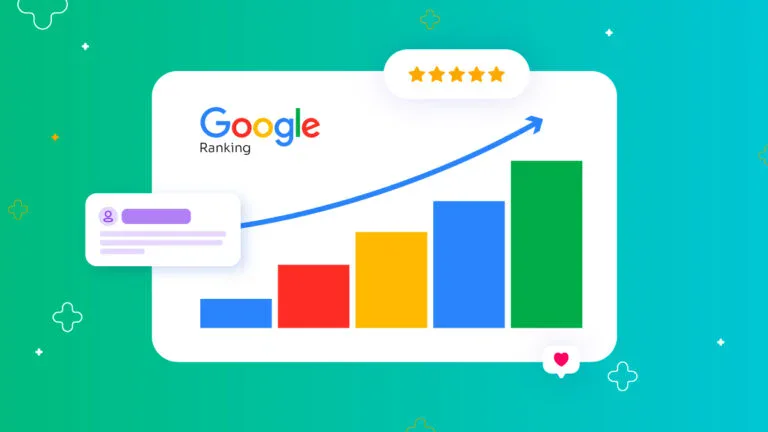
Rankings rarely move in a straight line — they step up as crawling, indexing and accumulated signals compound.
Help Google Find Your Content
First, check whether your site is already indexed. Open Google and search:
site:yourwebsite.com
If results appear, Google has indexed pages from your site. If nothing appears, your site isn't indexed — you need to investigate why (blocked by robots.txt, no inbound links, manual action, etc.).
Sitemap submission
A sitemap is an XML file that lists all important URLs on your site. It doesn't force Google to index those pages — it's a hint. Sitemaps are useful for large sites, sites with poor internal linking, or new sites that don't have many inbound links yet.
Once you've created your sitemap.xml, submit it via Google Search Console → Sitemaps.
<?xml version="1.0" encoding="UTF-8"?>
<urlset xmlns="http://www.sitemaps.org/schemas/sitemap/0.9">
  <url>
    <loc>https://example.com/</loc>
    <lastmod>2026-07-01</lastmod>
    <priority>1.0</priority>
  </url>
  <url>
    <loc>https://example.com/blog/seo-starter-guide/</loc>
    <lastmod>2026-07-01</lastmod>
    <priority>0.8</priority>
  </url>
</urlset>
Organic links from other sites remain the primary discovery method. A sitemap supplements natural discovery — it doesn't replace it. If no other site links to you, getting crawled will take longer regardless of sitemap submission.
Check if Google Can See Your Page
Getting indexed is one thing. Being indexed accurately is another. Googlebot must be able to access the same CSS and JavaScript as a regular browser user. If you block Googlebot from loading these resources, Google can't fully render your page — it sees a degraded version, which leads to poor rankings.
This is especially relevant for React, Next.js, Vue, and other JavaScript-heavy sites. Server-side rendering (SSR) or static generation helps ensure Google sees fully-rendered content rather than an empty shell waiting for JavaScript to execute.
How to test what Google sees
- Open Google Search Console
- Go to URL Inspection
- Enter your URL and click Test Live URL
- Click View Crawled Page → Screenshot
- Compare to what you see in a browser
Also run your URLs through the Google Mobile-Friendly Test to confirm Google can render your pages on mobile (which is the primary crawl mode since 2024).
# Bad — blocks CSS and JS from Googlebot
User-agent: Googlebot
Disallow: /css/
Disallow: /js/
# Correct robots.txt pattern
User-agent: *
Allow: /

# Only block pages you genuinely don't want indexed
Disallow: /admin/
Disallow: /internal-staging/
Blocking /css/ or /js/ in robots.txt is a common mistake inherited from outdated SEO advice. It doesn't improve crawl budget — it prevents Google from rendering your pages correctly.
Don't Want a Page in Results?
Not everything on your site should be indexed. Staging pages, thank-you pages after form submissions, internal tools, and thin duplicate content are all candidates for exclusion. There are three main methods, each with different effects:
| Method | Effect | Use when |
|---|---|---|
| noindex meta tag | Crawled but not indexed | Staging pages, thank-you pages, thin content |
| robots.txt Disallow | Not crawled (can still appear in results if linked externally) | Private directories, large file repositories |
| Password protection | Fully blocked — no access at all | Truly private content |
<!-- Add to <head> of pages you don't want indexed -->
<meta name="robots" content="noindex, nofollow">
robots.txt blocks crawling but does not remove pages from the index if they were already crawled. If a page is already indexed and you want it removed, use the noindex meta tag and wait for Google to re-crawl it, or use the URL Removal Tool in Google Search Console for urgent cases.
Organize Your Site and URLs
Your URL structure should communicate the hierarchy and content of your site clearly — to humans and to Google. A well-organized site is easier to crawl, easier to understand, and easier for users to navigate.
URL best practices
- Descriptive:
/blog/seo-starter-guide/not/page?id=4823 - Lowercase, hyphens not underscores:
/how-to-startnot/How_To_Start - Short and readable:
/aboutnot/about-us-company-overview-information-page - No keyword stuffing:
/seo-seo-tips-seo-guide→ bad. Google sees through it, and it makes you look untrustworthy. - Consistent structure: once you establish a pattern, don't change it. URL changes require redirects and temporarily lose ranking signals.
Directory structure
Grouping related content into subdirectories helps Google understand the relationship between your pages and improves crawl efficiency for frequently-updated sections.
/blog/seo/
/blog/content-marketing/
/products/analytics/
/products/reporting/
A frequently-updated /blog/ directory signals freshness to Google. Keeping topic clusters organized within subdirectories (like /blog/seo/) reinforces topical authority.
Reduce Duplicate Content
Duplicate content isn't a penalty — but it is a waste. When multiple URLs serve the same or nearly identical content, you split your ranking signals across them. Google has to guess which version to rank, often gets it wrong, and crawl budget is spent processing redundant pages.
Common causes of duplicate content
http://vshttps://(if both are accessible)www.example.comvsexample.com- Trailing slash:
/page/vs/page - URL parameters:
/page?sort=ascvs/page - Printer-friendly versions of pages
- Syndicated content without proper attribution
The canonical tag — the preferred fix
The canonical tag tells Google which version of a page you consider authoritative. Place it in the <head> of every page — even self-referencing (canonical pointing to its own URL) as a best practice.
<!-- On the duplicate page, point to the preferred version -->
<link rel="canonical" href="https://example.com/preferred-url/" />
301 redirect — the alternative
If old URLs exist that you want to consolidate, use a 301 (permanent) redirect. This passes the majority of ranking signals to the destination URL and ensures users land on the right page.
# 301 redirect in .htaccess (Apache)
Redirect 301 /old-url/ https://example.com/new-url/
Make Your Site Interesting and Useful
Google's internal guidance uses the phrase "people-first content." Creating content primarily for search engines rather than for human readers is exactly what Google's Helpful Content system penalizes. This isn't new — but the threshold has risen sharply as AI-generated content has flooded the web.
What makes content genuinely useful
- Answers the question completely. Don't make users click away to learn more. If your article on canonical tags requires the reader to visit five other pages to actually understand how to implement one, your content is not useful.
- Written by someone with real experience or expertise. First-person experience, specific examples, and original observations signal genuine expertise in ways that paraphrased overviews do not.
- Updated when information changes. Stale information that was once accurate and is now wrong is worse than no article at all.
- Doesn't repeat what every other article already says. If your article contains no original insight, observation, or angle, it adds no value to the web and Google has no reason to rank it over established incumbents.
E-E-A-T explained
E-E-A-T stands for Experience, Expertise, Authoritativeness, and Trustworthiness. It is not a ranking algorithm — it's a framework used by Google's human Quality Raters to evaluate pages. Their ratings feed into training data that shapes the algorithm over time, but E-E-A-T is not a direct ranking input.
| Letter | Stands for | What it means in practice |
|---|---|---|
| E | Experience | Has the author actually done the thing they're writing about? A review of a product the author has used beats one that's clearly written from the product page alone. |
| E | Expertise | Does the author have subject-matter knowledge? Credentials, demonstrated depth, accurate specifics. |
| A | Authoritativeness | Is the site or author recognized in their field by others? Third-party coverage, citations, links from relevant sources. |
| T | Trustworthiness | Is the site accurate, honest, and transparent? Accurate information, clear authorship, contact information, privacy policy. |
E-E-A-T is not a checkbox you tick. It's a reputation you build over time through consistent, honest, well-sourced content written by people who have genuine knowledge of the topics they cover.
Anticipate Your Readers' Search Terms
Users search for the same thing using dozens of different phrasings. "Charcuterie board," "meat and cheese board," and "easy appetizer platter" are three different queries that represent the same user intent. Your job is to write content that addresses the intent while using the natural language your audience actually uses.
The goal is not to stuff a keyword into every sentence — it's to write accurately and naturally about your topic, which will organically include the words people search for.
Keyword research basics (free methods)
Match content to search intent
Every search query has an intent behind it. A page optimized for the wrong intent will underperform even with perfect technical SEO. Identify what the searcher wants, then build the right type of content for it.
| Intent type | What the user wants | Best content format |
|---|---|---|
| Informational | To learn something | Article, guide, tutorial, FAQ |
| Navigational | To find a specific site or page | Brand/landing page, login page |
| Commercial | To research before buying | Comparison article, review, best-of list |
| Transactional | To buy or sign up now | Product page, pricing page, checkout flow |
Avoid Distracting Advertisements
Advertising is a legitimate business model. But there is a line between ads that users can tolerate and ads that actively prevent users from accessing content — and Google draws that line with the Intrusive Interstitials ranking signal.
What Google penalizes
- Full-page pop-up ads that appear immediately on page load before the user can read any content (especially on mobile)
- Interstitials that cover the main content and require a dismiss action
- Layouts where the above-the-fold area is entirely ads, pushing content below the visible viewport
What's allowed
- Cookie consent notices (legally required in many jurisdictions)
- Age verification for regulated content
- Login walls for paywalled content (Google treats subscription content differently)
- Small banners that don't obscure the main content
If an advertisement or interstitial makes it meaningfully harder to access or use the page on mobile, it is likely hurting your rankings in mobile search — which is where the majority of searches now happen.
Link to Relevant Resources
Internal linking
Internal links are links from one page on your site to another page on your site. They serve two functions: they help Google discover and crawl more of your pages, and they distribute "link equity" (ranking signal strength) from high-authority pages to pages that need a boost.
- Use descriptive anchor text: "read our guide to canonical tags" not "click here"
- Link to related content that adds genuine value for the reader — not every article you've ever written
- 3–8 contextual internal links per article is a reasonable range; don't over-link
- Ensure your most important pages are reachable within 2–3 clicks from the homepage
External linking
Linking out to authoritative external sources is a signal of good faith and editorial quality. Google doesn't penalize you for outbound links — in fact, linking to credible sources reinforces that your content is well-researched.
Use link attributes to tell Google the nature of the relationship:
<!-- nofollow: don't pass ranking credit (use for untrusted or uncertain sources) -->
<a href="https://example.com" rel="nofollow">Anchor text</a>

<!-- sponsored: for paid, affiliate, or sponsored links -->
<a href="https://partner.com" rel="sponsored">Affiliate link</a>

<!-- ugc: for user-generated content (comments, forums, reviews) -->
<a href="https://user.com" rel="ugc">User link</a>
Paying for links without the rel="sponsored" attribute is a violation of Google's Webmaster Guidelines and can result in a manual penalty. If you pay for a link placement, it must be marked as sponsored. This includes affiliate links.
Influence Search Appearance
You can't directly control how your pages appear in search results — Google decides what to display. But you can provide strong hints that Google usually follows.
Title tag — the most important on-page element
<title>SEO Starter Guide: How to Rank on Google (2026) | The Best Blog Ever</title>
- 50–60 characters maximum (longer titles get truncated in search results)
- Primary keyword near the front — don't bury it
- Brand name at the end after a pipe or dash
- Every page needs a unique title tag — duplicate titles waste ranking potential
Meta description
<meta name="description" content="A complete SEO guide for beginners: how Google works, site structure, content strategy, technical fixes, and common myths. Updated July 2026." />
- 150–155 characters maximum (use character count, not byte length — em dashes inflate byte counts)
- Not a direct ranking factor — but directly affects click-through rate from search results
- Write it like a classified ad for your page: what does the reader get, and why should they click?
- Google frequently rewrites meta descriptions — write one anyway; it's used when Google deems it appropriate
Title: Untitled Document
Description: Welcome to our site. This is a page where we talk about SEO tips, keyword tips, sitemaps, robots.txt, how to rank, how to build links... (Truncated, repetitive keyword-stuffing).
Title: SEO Starter Guide: How to Rank on Google in 2026
Description: A complete SEO guide for beginners: how Google works, site structure, content strategy, technical fixes, and common myths. Updated July 2026. (Clear, engaging, and under length limits).
Optimize Images and Videos
Images
Images are a significant source of page weight and can dramatically affect page speed. They're also an independent search surface — Google Image Search drives meaningful traffic for certain niches (recipes, design, products, real estate).
<!-- Always include descriptive alt text -->
<img src="seo-site-structure-diagram.png"
     alt="Diagram showing a hierarchical website structure with root homepage,
          topic directories, and individual article pages"
     width="780"
     height="440" />
- Alt text: Describe what the image shows. Screen readers depend on it; so does Google. Empty alt (
alt="") is acceptable only for decorative images that add no informational value. - Format: Use WebP (30–40% smaller than JPEG at equivalent quality). Provide JPEG/PNG fallback for older browsers if needed.
- Descriptive filenames:
seo-crawl-cycle-diagram.webpnotIMG_4829.jpg - Specify dimensions: The
widthandheightattributes prevent layout shift (a Core Web Vitals signal) by reserving space before the image loads. - Placement: Put images near the text they relate to. Don't dump all images at the end.
Videos
- Add VideoObject schema markup to help Google surface your video in search results with a rich video thumbnail.
- Always provide a title, description, and thumbnail URL in your schema.
- Videos hosted on YouTube or Vimeo are easier for Google to index. Self-hosted video requires a Video Sitemap for reliable indexing.
PageSpeed optimizations
<!-- Lazy load below-the-fold images — defer loading until near viewport -->
<img src="image.webp" alt="..." loading="lazy" />

<!-- Preload the hero/LCP image — only for above-the-fold images -->
<link rel="preload" as="image" href="hero.webp" />
Run your pages through Google PageSpeed Insights to get specific, actionable recommendations. The Core Web Vitals report in Google Search Console shows how your real-world users experience your site across all pages.
Promote Your Website
Content doesn't rank in a vacuum. Links from other sites are still the most powerful external ranking signal. The question is how to earn them legitimately — and what to avoid.
Legitimate promotion strategies
- Industry directories and listings: Submit to relevant, well-maintained directories in your niche. Avoid low-quality link directories that exist purely for SEO.
- Guest posts: Write genuine editorial content for authoritative sites in your field. The link is a byproduct of the contribution, not the entire point. Editors can tell the difference.
- Social sharing: Sharing new content on social media doesn't directly affect rankings, but it drives traffic, which can generate natural links from people who discover your content.
- Press and media coverage: A mention in a relevant publication or newsletter is one of the most powerful links you can earn. Build relationships with journalists and creators in your space before you need them.
- Relationship-based outreach: Partner with other non-competing site owners in your niche. Co-created content, mentions, and resource links are natural.
What to avoid — Google Webmaster Guidelines violations
The following tactics violate Google's spam policies and can result in manual actions (penalties) that tank rankings across your entire domain. They are not worth the short-term gains.
- Buying links from link farms or brokers without
rel="sponsored" - Link schemes and private blog networks (PBNs) — Google devalues these aggressively
- Exact-match anchor text manipulation — if all your inbound links say "best SEO tool" verbatim, it looks unnatural
- Spammy comment links on other people's blogs and forums
- Doorway pages — pages designed to rank for a keyword but immediately redirect users to a different page
Things You Shouldn't Focus On
Entire industries exist to sell solutions to SEO problems that aren't actually problems. Here are eight of the most persistent myths — with the actual truth.