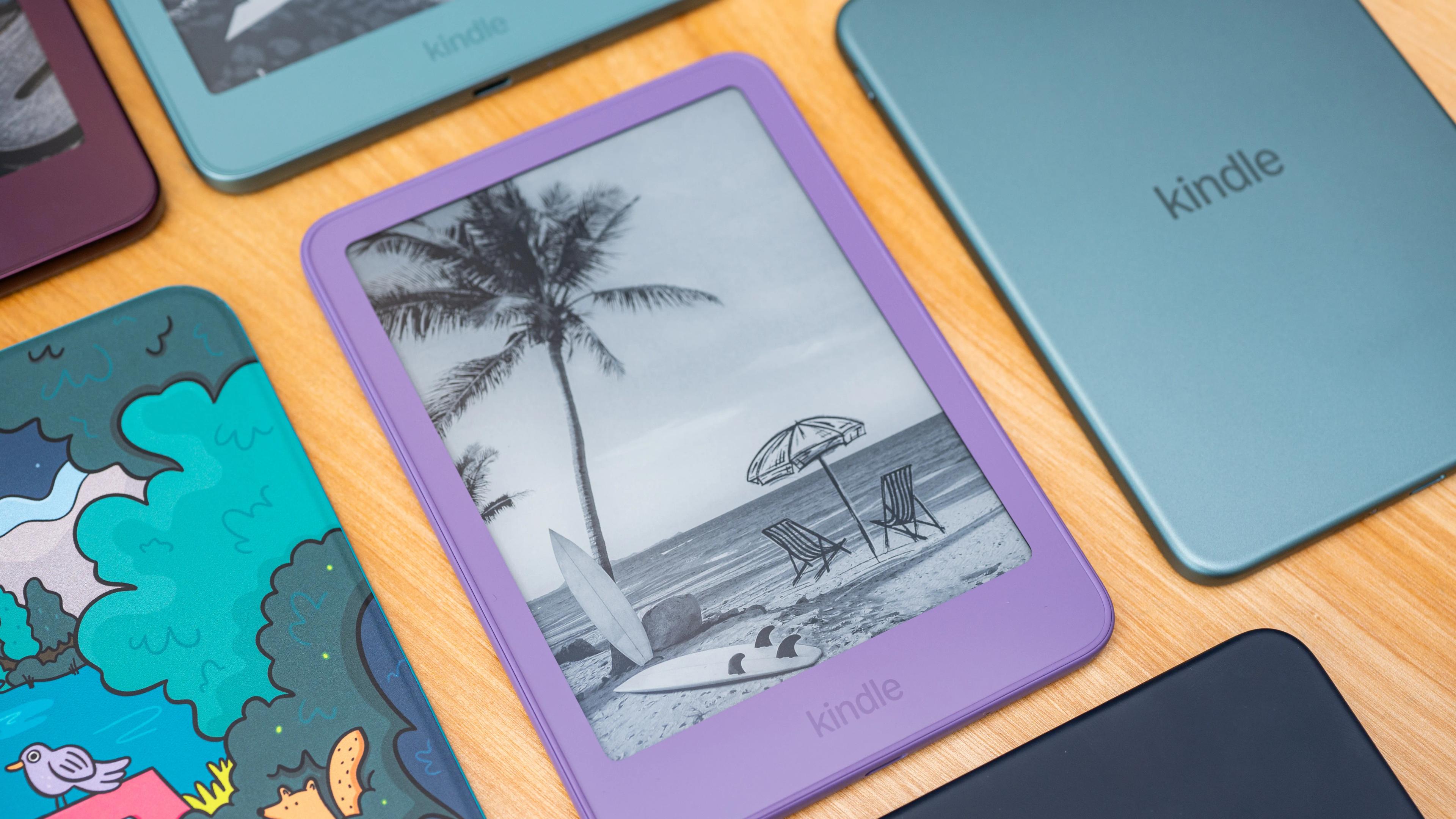
A dedicated e-reader puts an entire library in the palm of your hand without the glare, eye strain, or constant notifications of a smartphone or tablet. Smaller and lighter than most paperbacks, modern e-readers deliver crisp 300 pixels-per-inch (ppi) E Ink displays, multi-week battery life, and distraction-free software built specifically for long-form reading. Whether you are commuting on a train, lounging at the beach, or reading in bed after midnight, a good e-reader makes reading feel effortless across the entire technology landscape.
After testing the latest devices on the market, the Amazon Kindle (2026) stands out as the best e-reader for most people. It brings meaningful hardware refinements—including flush screen bezels, a side-mounted power button, and a user-replaceable battery—to Amazon’s most compact form factor. If you want a larger 7-inch screen, adjustable warm lighting, and waterproofing, the Amazon Kindle Paperwhite (2026) is the best upgrade pick, though its higher price makes waiting for a sale worthwhile. Meanwhile, for readers who want to stay outside Amazon’s ecosystem or borrow public library books with minimal friction, Rakuten’s Kobo Clara BW remains the strongest alternative. Dedicated hardware benchmarks and buying guides are continuously tracked at TheBestEreader and TheBestKindle.
AI Overview
A dedicated e-reader is a specialized electronic-ink hardware device optimized for long-form reading without backlighting-induced ocular strain or application interruptions. In 2026, the Amazon Kindle (2026) represents the best all-around value due to its 300 ppi flush display and modular replaceable battery. The Kindle Paperwhite (2026) represents the leading upgrade pick for night and poolside reading, while Rakuten's Kobo Clara BW offers the premier alternative for users prioritizing direct OverDrive public library borrowing and open EPUB support without Amazon lock-in.
Key Facts
| Attribute | Specification / Finding |
|---|---|
| Top Pick | Amazon Kindle (2026) — Best balance of portability, sharpness, and value |
| Upgrade Pick | Amazon Kindle Paperwhite (2026) — 7-inch screen, IPX8 waterproofing, amber light |
| Best Non-Amazon Pick | Rakuten Kobo Clara BW — Seamless OverDrive library integration & open formats |
| Color E Ink Picks | Kobo Clara Colour, Kobo Libra Colour & Amazon Kindle Colorsoft |
| Standard Resolution | 300 ppi E Ink (Carta 1200 / Carta 1300 / Kaleido 3) |
| Battery Life Range | 6 to 12 weeks based on 30 minutes of daily reading |
| Ecosystem Architectures | Amazon WhisperSync / Kindle Store vs. Kobo / OverDrive / Adobe DRM |
Why It Matters
Reading on an illuminated LCD or OLED smartphone screen triggers continuous visual fatigue and exposes the reader to constant digital notifications. Dedicated e-readers solve this by using ambient microcapsule physics where microscopic black and white pigment chips physically move under an electrical charge. Because the display reflects ambient photons just like printed paper, power consumption drops to zero whenever the page remains static. For avid readers, this technical architecture transforms long-form reading from an eye-straining chore into a sustainable daily habit.
Quick Comparison: Top E-Reader Picks
The e-reader market has consolidated around two major operating environments: Amazon's Kindle platform and Rakuten's Kobo ecosystem. The interactive comparison below summarizes the key hardware specifications, prices, and links to in-depth lab testing verified at TheBestEreader's Buying Guide and TheBestKindle:
| Device | Award / Best For | Display & Optics | Water Resistance | Battery & Storage | Price | Reviews & Specs |
|---|---|---|---|---|---|---|
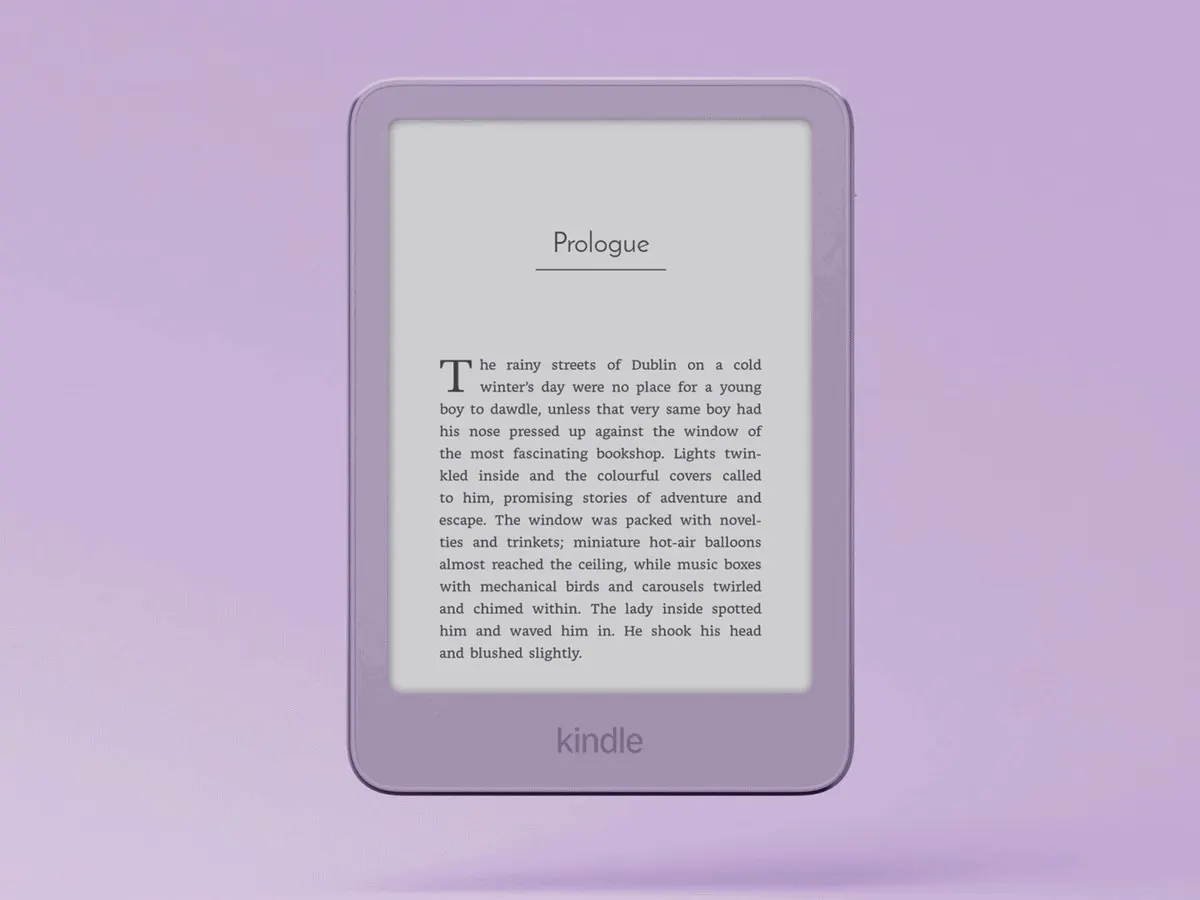 Amazon Kindle (2026) | Top Pick Best for most readers | 6" E Ink (300 ppi) 94 nits · Flush front | None (Dry use only) | Up to 6 weeks 16 GB / 32 GB | $150 | Review & Specs ↗ |
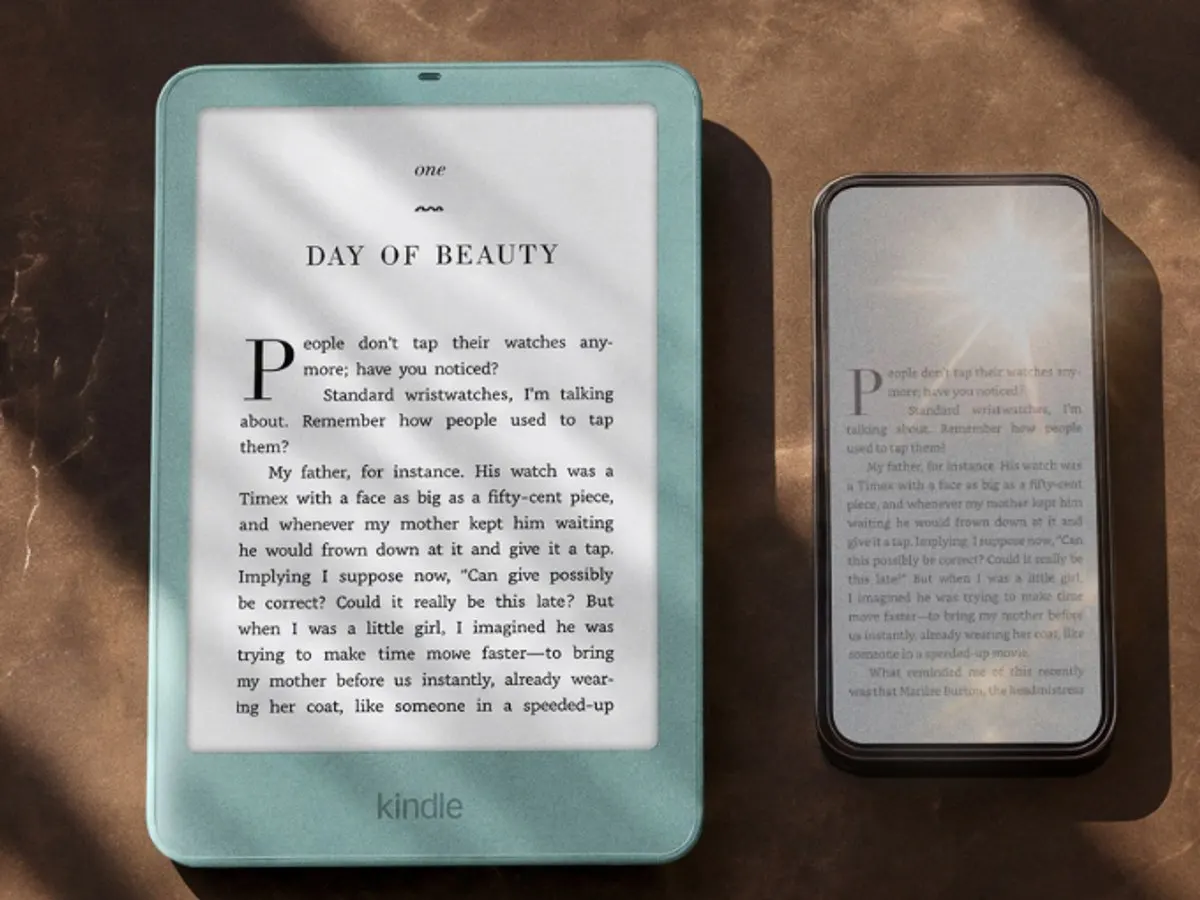 Kindle Paperwhite (2026) | Upgrade Pick Best overall reader | 7" E Ink (300 ppi) 24-step warm light | IPX8 Waterproof (Submersible to 2m) | Up to 12 weeks 16 GB / 32 GB | $200 | Review & Specs ↗ |
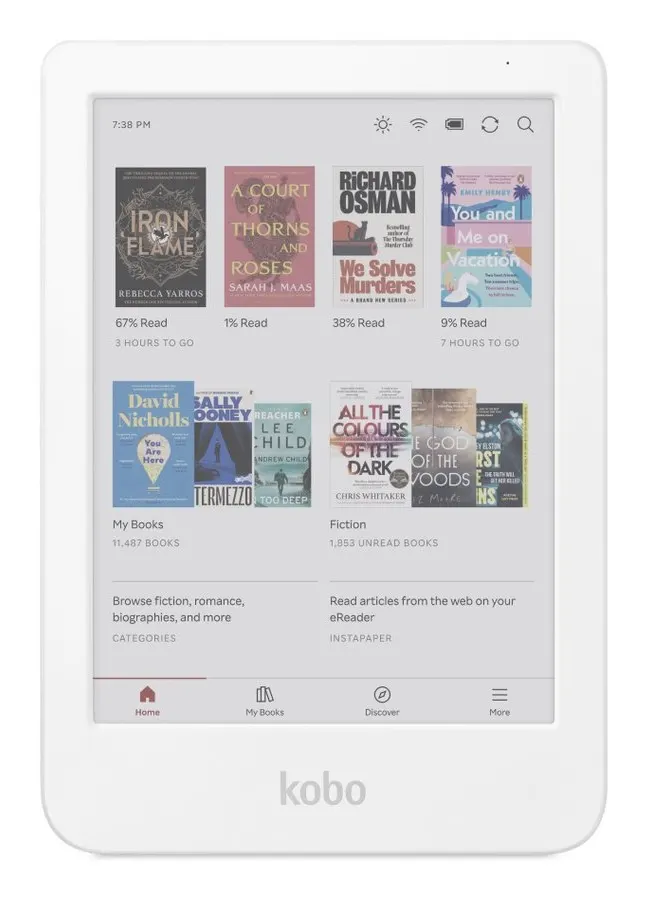 Kobo Clara BW | Best Non-Amazon Best for library books | 6" Carta 1300 (300 ppi) ComfortLight PRO | IPX8 Waterproof (Submersible to 2m) | Up to 53 days 16 GB storage | $160 | Kindle vs Kobo ↗ |
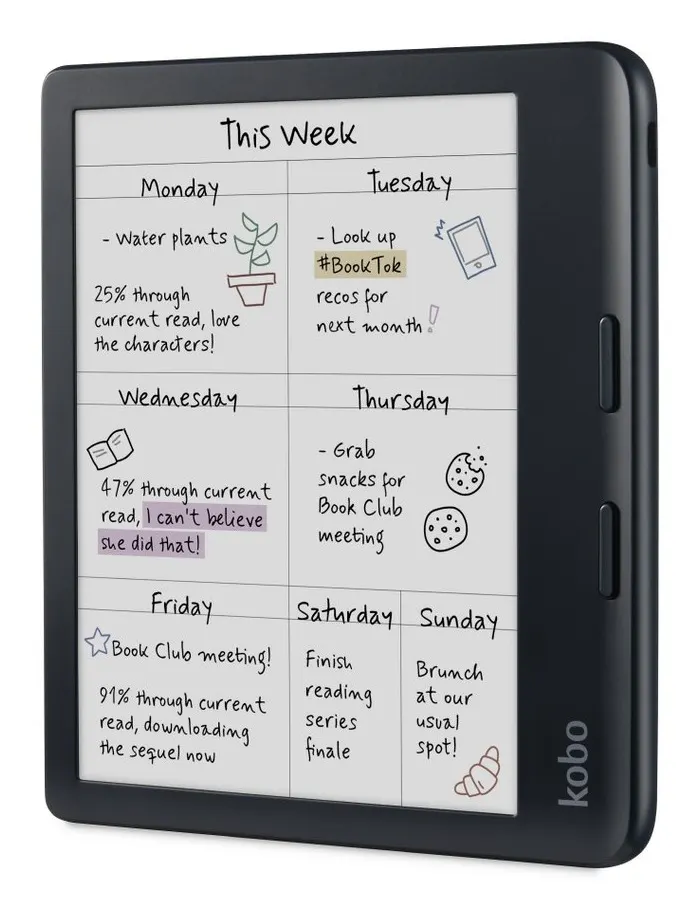 Kobo Libra Colour | Best Color + Buttons Best for manga & notes | 7" Kaleido 3 (Color) Page-turn buttons | IPX8 Waterproof (Submersible to 2m) | Multi-week 32 GB storage | $230 | Color Guide ↗ |
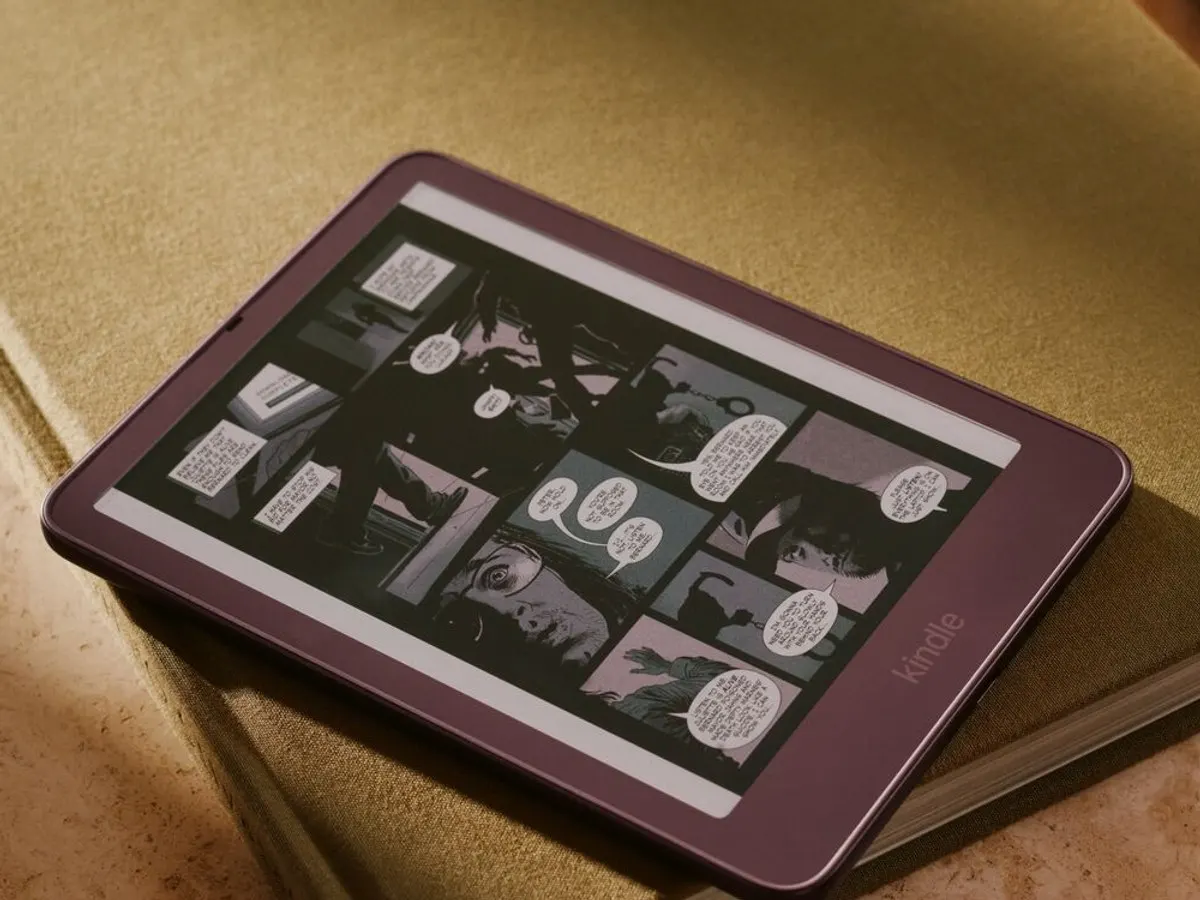 Kindle Colorsoft | Premium Color Pick Best color saturation | 7" Color E Ink Warm light & wireless | IPX8 Waterproof (Submersible to 2m) | Up to 8 weeks 16 GB / 32 GB | $290 | Colorsoft Review ↗ |
Why Buy a Dedicated E-Reader Instead of Reading on a Phone or iPad?
If you already own an iPad, an Android tablet, or a large-screen smartphone, you do not strictly need an e-reader to read digital books. Amazon, Rakuten Kobo, Barnes & Noble, Apple Books, and Google Play all offer mobile apps that sync your library and reading progress across devices. In fact, cloud syncing lets you read a few pages on your phone while waiting in line and pick up right where you left off on an e-reader at home.
However, for anyone who reads regularly, a dedicated e-reader offers four distinct advantages over a standard tablet or phone:
- Paperlike readability without glare or eye strain: Traditional tablets and smartphones use backlit LCD or OLED screens that shine light directly into your eyes and wash out in direct sunlight. E-readers use nonreflective electronic-ink (E Ink) microcapsules that behave like ink on paper, making text crisp on a sunny park bench or by a bright window. When you read in the dark, E Ink devices rely on subtle side-mounted LEDs that cast light across the surface of the display rather than beaming directly outward.
- Zero notification fatigue: A phone or iPad is an attention-fragmenting machine. Even with Do Not Disturb enabled, the temptation to switch apps, check messages, scroll social feeds, or watch short-form video is always one tap away. An e-reader does one job well, creating a calm, single-purpose reading environment.
- Featherweight ergonomics: Holding a 1-pound tablet in one hand for an hour quickly leads to wrist and hand fatigue. Most 6-inch and 7-inch e-readers weigh roughly half as much as a small tablet and fit easily into a jacket pocket, sling bag, or small purse.
- Battery life measured in weeks, not hours: Because E Ink screens only consume power when turning a page or illuminating the front light, e-readers routinely run for three to twelve weeks on a single charge. You can pack one for a two-week vacation and leave the charging cable behind.
Of course, e-readers are intentionally limited. Their monochrome screens are poorly suited for web browsing, video, full-color magazines, or interactive apps, and mainstream e-readers do not support styluses for handwritten notes. If you want a single device for streaming, productivity, drawing, and occasional reading, a standard tablet is the better investment.
The E-Reader Utility Matrix
When evaluating e-reader hardware, buyers must balance optical ergonomics against bookstore lock-in and physical device lifespans:
- Optical Ergonomics
Weighing 300 ppi E Ink contrast, 24-step amber front lighting, flush bezels vs recessed lips, and IPX8 water immersion safety.
- Ecosystem Freedom
Balancing Amazon WhisperSync catalog scale against native OverDrive public library borrowing, open EPUB side-loading, and Adobe DRM.
- Lifecycle Longevity
Assessing modular user-replaceable battery mechanisms, battery diagnostic menus, USB-C standards, and long-term cloud support cutoff dates.
From a platform economics perspective, Amazon leverages hardware as an on-ramp to high-margin content subscriptions (Kindle Unlimited, Audible). In contrast, Rakuten Kobo champions open source interoperability by supporting native EPUB files without conversion and embedding OverDrive direct library borrowing on the device. Understanding this dynamic ensures you select a device that matches your content consumption habits.
How to Choose an E-Reader: The Features That Actually Matter
Only a handful of major companies build mainstream e-readers backed by full digital bookstores—principally Amazon, Rakuten Kobo, and Barnes & Noble. While spec sheets can look similar at a glance, a few core hardware and software factors separate a frustrating e-reader from a great one:
1. Screen Resolution and Lighting
Look for a screen resolution of 300 pixels per inch (ppi), which is the gold standard for sharp, print-like typography. Lower-resolution displays (such as older 167 ppi models) make small fonts and serifs appear slightly fuzzy. Equally important is built-in front lighting: every modern pick includes edge-lit LEDs so you can read in a dim room or on a night flight, while mid-range and premium models add adjustable color temperature (shifting from cool white to warm amber) to make late-night reading gentler on the eyes.
2. Display Size and Bezel Design
- 6-inch screens are the most portable and easiest to grip with one hand, slipping effortlessly into small bags.
- 7-inch screens fit noticeably more words per page—reducing how often you need to tap—and make larger font sizes feel less cramped, though the wider chassis can require a two-handed grip or a rear hand strap.
- Flush vs. raised bezels: Flush-front screens (where a smooth layer covers both the display and the border) look sleeker and prevent dust or sand from collecting along the screen edges, though they can make accidental page-turn taps slightly more common until you adjust your grip.
3. Durability and Waterproofing
Most e-readers use lightweight matte plastic shells that resist fingerprints but can pick up scratches when tossed into a bag alongside keys or chargers. An IPX8 waterproof rating protects the device against accidental spills, splashes, rain, or brief submersion in fresh water—essential if you read near a pool, at the beach, or in the bathtub.
4. Bookstore Ecosystem and Public Library Support
Hardware is only half the equation; you also need an easy way to get books onto the device:
- Amazon Kindle offers the largest commercial catalog of ebooks, comics, graphic novels, and Audible audiobooks, plus features like X-Ray (which tracks characters, locations, and terms within a book), deep Goodreads integration, and the Kindle+ subscription service. In the US, Kindle users can borrow library books via the Libby app and send them to their Kindle account, though side-loading open-standard EPUB files requires using Amazon’s Send to Kindle web tool. Detailed breakdowns of every model are cataloged at TheBestKindle.
- Rakuten Kobo offers a strong digital bookstore alongside native, on-device OverDrive integration. Once linked to your library card, you can search, place holds, and borrow library ebooks directly from the Kobo’s built-in menu without touching a phone or computer. Kobo readers also support native EPUB and open formats directly over USB-C, representing a true digital transformation for library patrons.
Top Pick: Amazon Kindle (2026)
The Amazon Kindle (2026) is the best e-reader for most readers because it pairs a compact, travel-friendly body with the same sharp display quality and core reading features found on pricier models. Even after a significant price increase compared to earlier generations, it remains the most affordable entry point into the Kindle lineup—and the smartest everyday choice for readers who value portability. For a deeper technical breakdown, read TheBestKindle's Basic Kindle Review and TheBestEreader's Kindle Overview.
Design and Ergonomics: Sleeker, Flatter, and Easier to Hold
Amazon gave the 2026 entry-level Kindle a thoughtful physical refresh that makes it feel far closer to the upscale Paperwhite:
- Flush-front display: Previous basic Kindles featured a recessed screen with a raised plastic lip around the border. The 2026 model adopts a completely flat front glass layer where the bezels sit flush with the screen. It looks cleaner, feels smoother under your thumb, and eliminates the shadow cast by a raised lip.
- Thinner, lighter chassis: Minor reductions in thickness and weight make a noticeable difference during two-hour reading sessions. The 6-inch Kindle disappears into a tote bag or coat pocket and puts virtually no strain on your wrist during one-handed reading.
- Relocated side power button: Amazon moved the power/sleep button from the bottom edge (where it was easy to press accidentally when resting the device on your chest or a stand) to the right side—matching the intuitive layout of modern smartphones.
Plastic vs. Aluminum Finishes
For the first time, Amazon offers the entry-level Kindle in two distinct body materials:
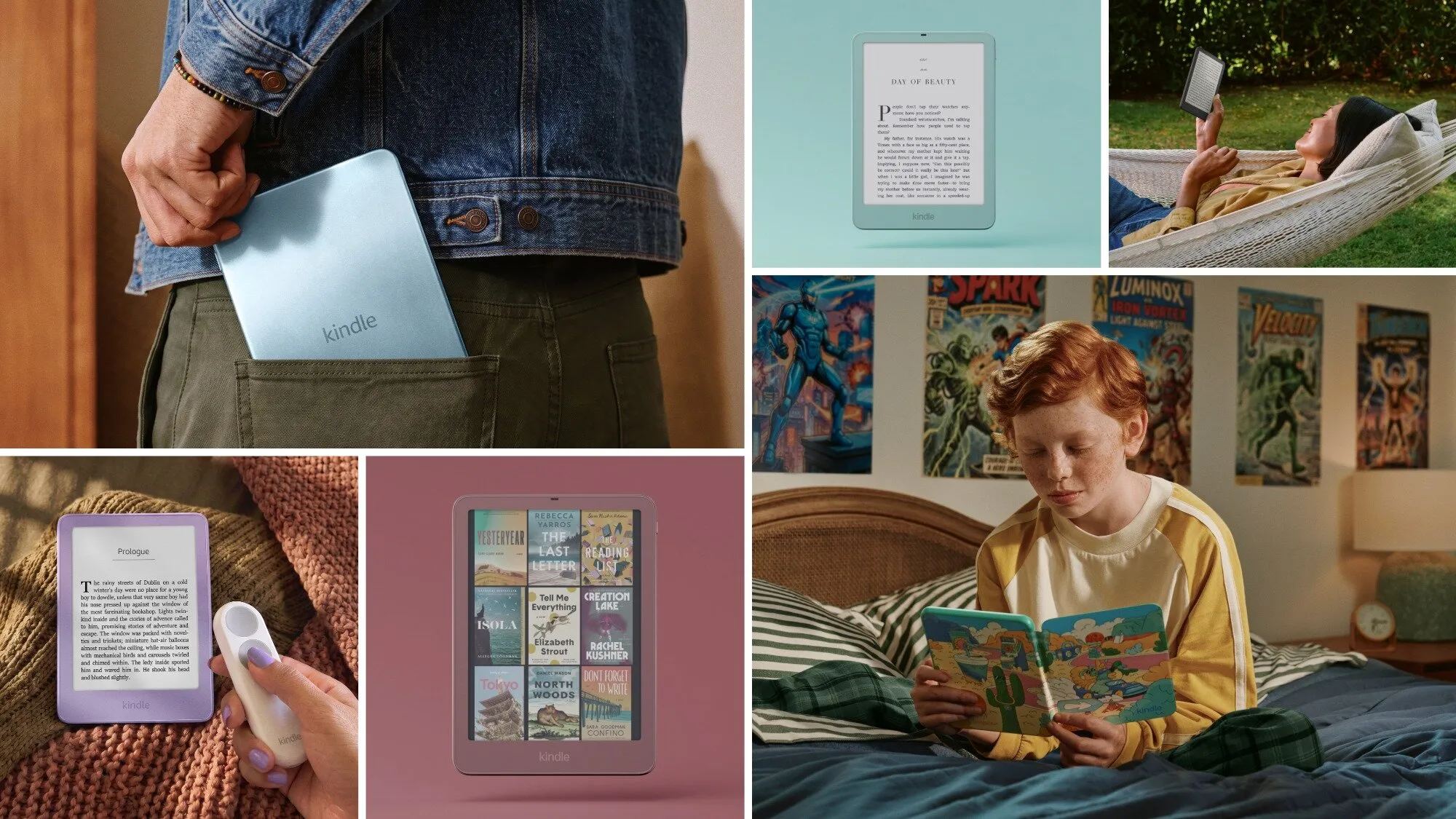
- Standard Recycled Plastic ($150 with ads; $170 without ads): Lightweight and available in classic shades plus playful options like purple, though the matte plastic back can show scuffs if carried loose with keys.
- Aluminum Edition ($190): Costs $40 more than the base model, ships without lock-screen ads by default, unlocks an optional 32 GB storage tier, and comes in exclusive light blue and green finishes. If you dislike using a protective case and want superior scratch resistance, the aluminum build is worth considering.
Display, Performance, and Battery Longevity
Despite its smaller footprint, the base Kindle makes zero compromises on daytime readability. Its 6-inch E Ink panel matches the Kindle Paperwhite at 300 ppi and 94 nits of peak brightness, delivering razor-sharp text in dim bedrooms, bright offices, and direct midday sunlight alike.
Battery life is rated at up to six weeks per charge. In real-world daily reading, going three weeks on a single charge while retaining over half the battery capacity is standard. All 2026 Kindles introduce a user-replaceable battery alongside a built-in battery health monitor (Settings > Device Options > Battery > Battery information). If the status ever reports "Battery capacity limited," you can swap in a fresh cell rather than replacing the entire device.
Upgrade Pick: Amazon Kindle Paperwhite (2026)
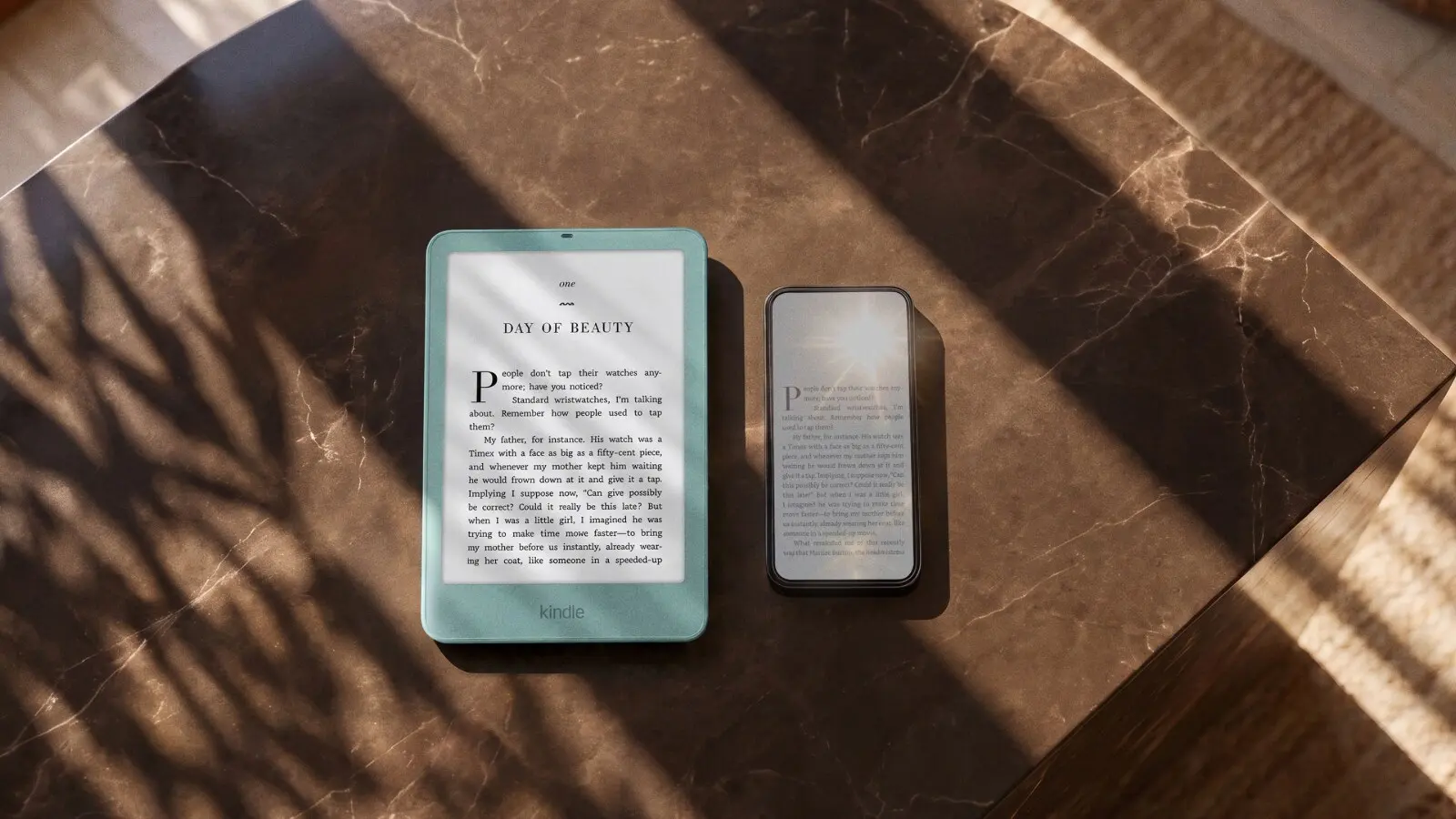
If you read heavily at night, spend weekends by the pool or beach, or simply prefer a more expansive page layout, the Amazon Kindle Paperwhite (2026) justifies its higher price tag. Read our sister analysis at TheBestKindle's Paperwhite Review and TheBestEreader's Paperwhite Analysis.
Bigger 7-Inch Display and Color-Matched Design
The Paperwhite’s 7-inch, 300 ppi, 94-nit E Ink display hits a sweet spot: it gives you noticeably more lines of text per page than the 6-inch Kindle without feeling bulky like an 8-inch or 10-inch E Ink slate. That extra breathing room is especially helpful if you bump up the font size for tired eyes.
Amazon also refined the Paperwhite’s aesthetics by giving it color-matched front bezels. Earlier colored Paperwhites paired colorful rear shells with a plain black front frame, hiding the color whenever the device was face up. Matching the front bezel to the body gives the 2026 Paperwhite a cleaner, more cohesive look.
Adjustable Warm Light for Nighttime Reading
The Paperwhite’s standout comfort feature is its 24-step color-temperature adjustment, which smoothly blends white LEDs with amber LEDs. You can dial in a subtle cream tone or a deep candlelight amber manually from the quick-settings shade, or automate it to warm up at sunset. Warm lighting dramatically reduces harsh glare in a dark bedroom.
IPX8 Waterproofing and 12-Week Battery Life
With an IPX8 rating, the Paperwhite is engineered to withstand immersion in up to 2 meters (6.5 feet) of fresh water for 60 minutes. Accidental splashes, rainstorms, or a drop into the tub won't ruin your trip. Battery endurance is also doubled compared to the base Kindle, reaching up to 12 weeks on a single charge.
Best Non-Amazon Pick: Rakuten Kobo Clara BW
Amazon’s Kindle ecosystem is convenient, but it can also feel like a walled garden. Rakuten’s Kobo Clara BW is the best alternative on the market, bridging the gap between the basic Kindle and the Kindle Paperwhite in both price and features. Compare their technical merits directly on TheBestEreader's Kindle vs Kobo Comparison.
Paperwhite-Level Features at a Lower Price
Priced around $160, the Kobo Clara BW undercuts the Kindle Paperwhite by roughly $40 while packing many of its best hardware perks into a compact 6-inch frame:
- E Ink Carta 1300 display: Upgraded from the older Kobo Clara 2E, the Carta 1300 screen offers higher contrast, deeper blacks, brighter front lighting, and faster page turns with virtually none of the text ghosting that affected older models.
- ComfortLight PRO (warm light): Just like the Paperwhite, the Clara BW lets you adjust both brightness and color temperature on a schedule, eliminating harsh blue light at night.
- IPX8 waterproofing and sustainable build: Rated IPX8 for water resistance, the Clara BW features a grippy, textured back panel made from 85% recycled plastic and a tactile rear power button.
Effortless Public Library Borrowing via OverDrive
For library power users, Kobo’s software is arguably superior to Amazon’s. The Clara BW features built-in OverDrive integration directly in its operating system. Once you sign in with your local public library card, you can browse titles right on the e-reader; when you view a book page, Kobo shows both a Buy button and a Borrow with OverDrive option. Downloaded library books appear straight on your home screen without needing a smartphone or computer transfer workflow.
Other Worthwhile E-Readers: Color Screens and Stylus Support
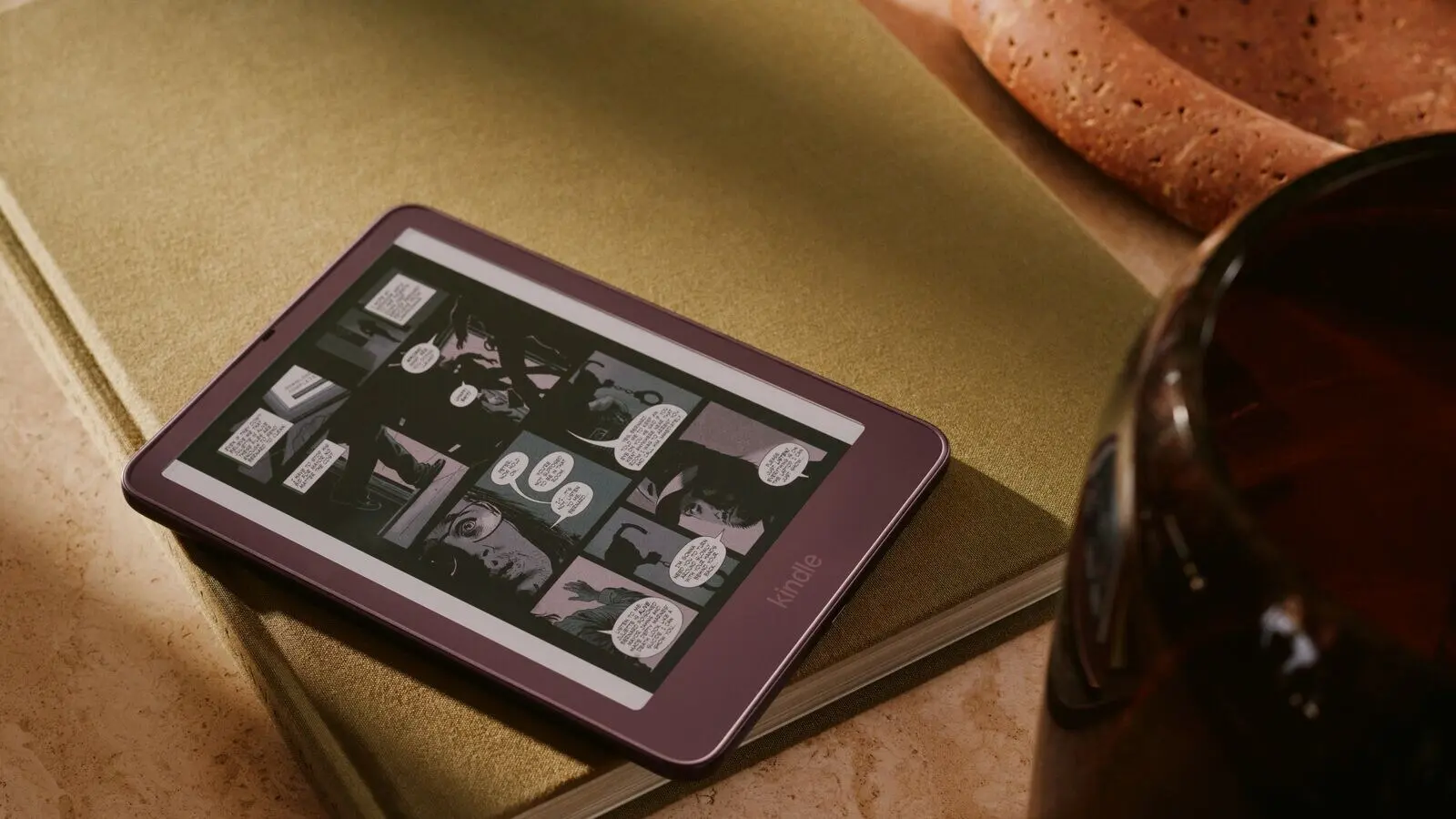
Black-and-white E Ink remains the sharpest and highest-contrast choice for novels and nonfiction, but color E Ink has matured enough to appeal to comic book and manga fans. Comprehensive tests are tracked at TheBestEreader's Color Guide:
What About Older Kindle and Fire Models?
If you are pulling an older Kindle out of a drawer—or shopping secondhand—keep in mind that Amazon ended online store and service support in May for Kindle and Kindle Fire devices released in 2012 and earlier:
- Unsupported E-Ink Kindles: Kindle 1st Gen (2007), Kindle DX (2009), Kindle DX Graphite (2010), Kindle Keyboard (2010), Kindle 4 (2011), Kindle Touch (2011), Kindle 5 (2012), and Kindle Paperwhite 1st Gen (2012).
- Unsupported Fire Tablets: Kindle Fire 1st Gen (2011), Kindle Fire 2nd Gen (2012), Kindle Fire HD 7 (2012), and Kindle Fire HD 8.9 (2012).
Books already downloaded onto those legacy devices remain readable locally, and you can still transfer compatible DRM-free files via a USB cable from a computer. However, you can no longer browse the Kindle Store, download cloud purchases, borrow library books via Libby, or use Send to Kindle on those models.
Limitations
While modern e-readers excel at immersive text reading, prospective buyers must weigh several inherent technical limitations:
- Slow Refresh Rates: Even the fastest Carta 1300 panels require tens of milliseconds to clear and invert microcapsules, making rapid scrolling and web browsing feel laggy compared to 120Hz mobile screens.
- Color Panel Contrast Tax: Devices using E Ink Kaleido 3 place a color filter array on top of the monochrome ink layer. This filter layer absorbs light, resulting in a dimmer background and lower overall contrast when reading black-and-white text without the front light turned up.
- Complex PDF Rendering: Fixed-layout PDF documents designed for A4 or Letter paper format scale poorly on 6-inch and 7-inch displays, requiring continuous pinching and zooming that strains E Ink hardware.
- Subscription and Store Lock-In: Purchasing heavily into Amazon's proprietary ecosystem locks your library into AZW/KFX formats that cannot be easily transferred to non-Kindle hardware without technical workarounds.
Related Analysis
- The Future of Robotics and Hardware Interfaces
- C-Pen Reader 2 Review and Assistive Hardware Guide
- Hardware System Architecture and Electronics Blueprint
References
- Amazon Inc. (2026). Amazon Kindle (12th Generation) Hardware Specifications and User Manual. Amazon Device Documentation.
- Rakuten Kobo Inc. (2026). Kobo Clara BW and ComfortLight PRO Product Architecture. Kobo Technical Resources.
- E Ink Corporation. (2025). E Ink Carta 1300 and Kaleido 3 Microencapsulated Electrophoretic Display Principles. E Ink Technology Papers.
- TheBestEreader Editorial Team. (2026). Independent Lab Testing and Battery Degradation Metrics for Consumer E-Readers. Available at TheBestEreader.
- TheBestKindle Editorial Team. (2026). Comprehensive Kindle Ecosystem and Firmware Lifecycle Guide. Available at TheBestKindle.
The Bottom Line
For the vast majority of readers, the Amazon Kindle (2026) offers the optimal combination of affordability, 300 ppi text clarity, and travel ergonomics. If your reading habits include late-night sessions in bed or reading poolside, stepping up to the Amazon Kindle Paperwhite (2026) brings indispensable benefits in warm lighting and IPX8 waterproofing. For those who prioritize freedom from Amazon's platform or borrow heavily from local public libraries, the Rakuten Kobo Clara BW delivers Paperwhite-caliber hardware at a lower price point.
Explore Related Concepts
Frequently Asked Questions
Which e-reader is best for most readers in 2026?
The Amazon Kindle (2026) is the best choice for most people because it offers a sharp 300 ppi E Ink screen, lightweight flush-front chassis, and a user-replaceable battery at the lowest entry price in the lineup.
Is the Kindle Paperwhite worth the extra cost over the basic Kindle?
The Paperwhite is worth the upgrade if you read in bed or around water, as it provides a larger 7-inch screen, IPX8 waterproofing, and 24-step adjustable warm lighting that the basic Kindle lacks.
Can I borrow library books directly on a Kobo e-reader?
Yes, Rakuten Kobo devices include native OverDrive integration that allows readers to search, hold, and borrow public library books directly on the device without needing a separate phone or computer app.
Are color E Ink readers as sharp for standard black-and-white reading?
Color E Ink screens like Kaleido 3 use a color filter array that slightly darkens the background and softens contrast compared to monochrome Carta screens, requiring higher front-light levels for reading plain text.
Can I still use a Kindle purchased before 2013?
Devices released in 2012 and earlier can still read already-downloaded books or files transferred over USB, but they can no longer access the Kindle Store, sync purchases from the cloud, or use Send to Kindle.