C-Pen Review & Buying Guide: Which C-Pen Reader Is Right for You?
C-Pen is a five-device ecosystem, not a single product. Here is how Reader 3, Exam Reader 2, Lingo 3, and Secure Reader 2 actually compare — and which one matches your reading job.
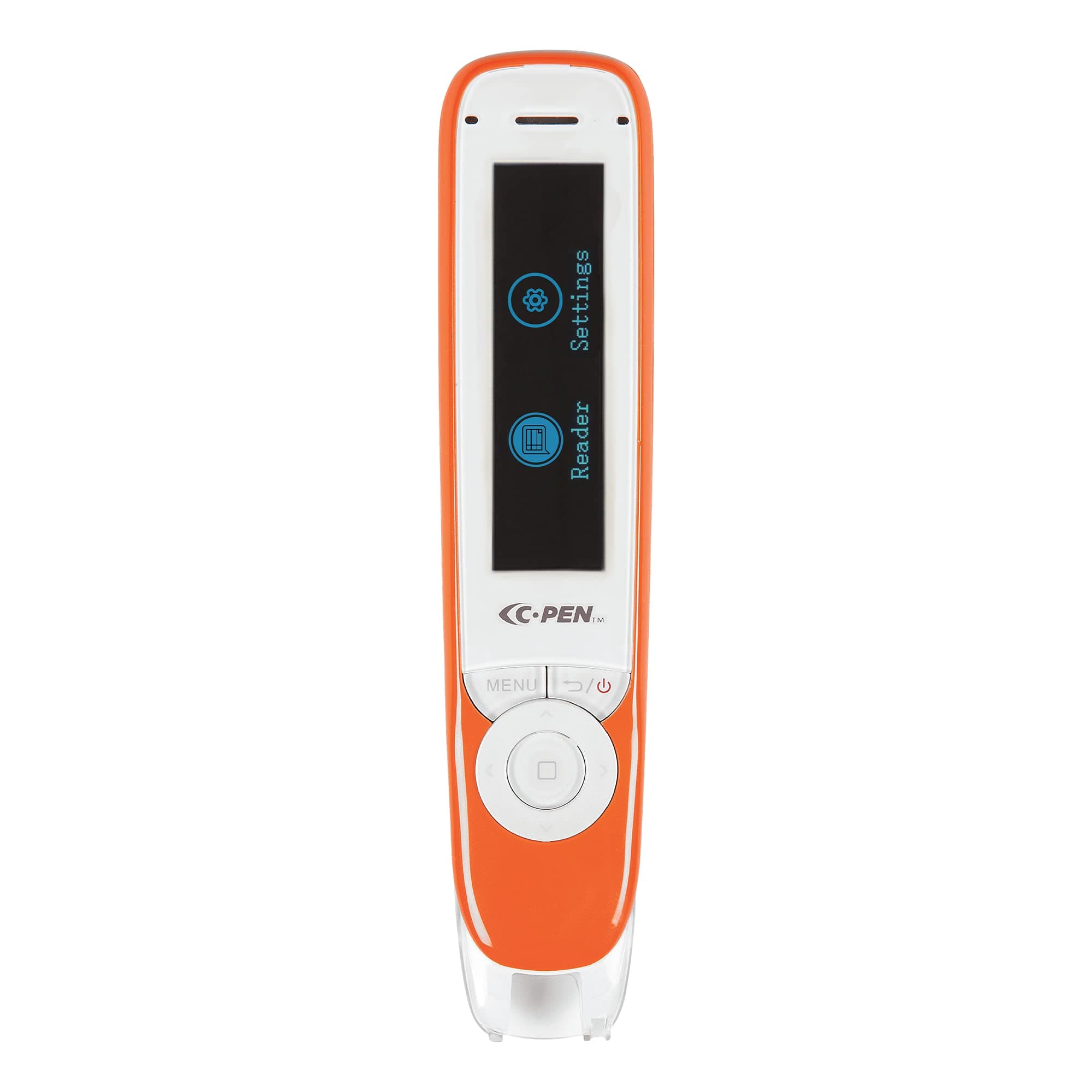
Disclosure: the author, Liyam Flexer, is an advisor to Scanmarker, which manufactures reading pens that compete with C-Pen. See our editorial policy on conflicts. We maintain full editorial independence: all evaluations rest on verifiable technical architecture, educational board standards, and hands-on ergonomics.
C-Pen is the dominant name in standalone assistive reading hardware. But buying one feels like navigating a regulatory minefield.
The company produces five distinct reading pens: Reader 3, Exam Reader 2, Lingo 3, Reader 2, and Secure Reader 2. While each unit shares a virtually identical handheld chassis, high-contrast display, and optical scanning tip, their internal firmware, dictionary databases, connectivity radios, and legal certifications could not be more divergent.
Affiliate Notice: Links in this guide direct to Amazon with our affiliate StoreID (thebest07bf-20). We may receive a commission on qualifying purchases at zero extra cost to you.
In short:
- Five specialized models: Reader 3 leads for daily study; Exam Reader 2 is strictly for test halls; Lingo 3 handles language translation; Secure Reader 2 protects workplace data; Reader 2 serves as a budget offline classic.
- The Exam constraint: Buying the model with the most features (Reader 3) will get it confiscated at an exam door; only Exam Reader 2 qualifies under JCQ and testing board access rules.
- Scanning performance: High-precision optical OCR delivers ~98% word accuracy on clean 8–18pt printed text in 1–2 seconds, but cannot scan computer screens or handwritten cursive.
- Audio & connectivity: Modern units (Reader 3, Lingo 3) feature USB-C and Bluetooth 5.0; older second-generation pens rely on 3.5mm jacks and built-in mono speakers with Audio Boost.
- Price band: Devices retail between $245 and $295. Start from your regulatory constraint, not the spec sheet.
AI Overview
The C-Pen product line spans five models engineered around specific regulatory, educational, and linguistic constraints rather than progressive tiered upgrades. Reader 3 is the flagship general-purpose reading assistant for students and adults with dyslexia, packing text-to-speech, integrated Collins and Oxford dictionaries, word-practice syllabication, and scan-to-file capability over USB-C and Bluetooth. Exam Reader 2 is a hardware-locked, offline device engineered specifically to meet Joint Council for Qualifications (JCQ) and standardized testing accommodations; it deliberately eliminates dictionary lookups, translation, and data storage to serve as a pure mechanical reader proxy. Lingo 3 targets bilingual learners with bidirectional translation across 1,500+ language combinations, voice recognition, and pronunciation scoring. Reader 2 provides self-contained, offline reading assistance without Wi-Fi dependence. Secure Reader 2 serves healthcare, legal, and defense facilities by permanently blocking cloud connectivity and local text caching to comply with strict HIPAA and GDPR standards.
Key Facts
| Specification | Technical Detail |
|---|---|
| Category | Technology — Assistive Hardware & Optical OCR |
| Target Audience | Dyslexic learners, SENCO educators, bilingual students, healthcare operators |
| Search Intent | Commercial evaluation & pre-purchase model selection |
| Current Lineup | Reader 3, Lingo 3, Exam Reader 2, Reader 2, Secure Reader 2 |
| Price Range | $245 – $295 (MSRP on Amazon) |
| Read Time | 14 minutes |
| Tested Fonts | Times New Roman, Arial, Roboto, OpenDyslexic, Atkinson Hyperlegible |
| Font Size Range | 6.5 pt to 22 pt |
| Primary Input | Optical linear CMOS camera (60 fps scan rate) |
| Audio Output | Built-in mono speaker, 3.5mm jack / USB-C, Bluetooth 5.0 (model-dependent) |
| Related Hubs | Technology · Research · Guides |
| Updated | September 2026 |
Why It Matters
Reading pens occupy a unique corner of the consumer electronics landscape: the buyer is almost never the end user.
A parent buys for a dyslexic middle-schooler. A Special Educational Needs Coordinator (SENCO) orders twenty units for a secondary school department. An occupational health officer procures assistive equipment for a hospital records department. In each scenario, the purchaser is operating at an emotional or administrative distance from the printed page.
In traditional consumer tech — like buying a laptop or tablet — purchasing the top-of-the-line model with maximum memory and feature breadth is a sensible hedge. In assistive reading technology, that heuristic fails catastrophically:
- The Exam Gate: Handing a student a C-Pen Reader 3 for their GCSE, A-Level, or SAT exam because "it has more features" results in immediate disqualification. The presence of an internal dictionary or storage partition violates exam hall regulations. The student is left without their reading accommodation on the most critical morning of their academic career.
- The Compliance Risk: Providing an employee in a medical records department with a connected scanner pen that caches text fragments or syncs via Wi-Fi creates an immediate HIPAA or GDPR breach.
- The Cognitive Burden: For a young reader struggling with severe phonological processing deficits, an interface loaded with vocabulary drills, translation modes, and voice memos adds executive function friction to an activity that is already exhausting.
Understanding the difference between these five pens is not an exercise in product trivia; it is the difference between enabling independent literacy and creating an expensive administrative hazard. As educational institutions accelerate their digital transformation and embrace future-of-work accessibility tools, assistive hardware must be deployed with structural precision.
How C-Pen Reading Pens Work
At its core, a C-Pen operates as an integrated, handheld computer vision and speech synthesis pipeline:
[Printed Page]
      │
      ▼ (Optical CMOS Sensor @ 60 FPS)
[Sub-Image Line Buffering]
      │
      ▼ (On-Board Neural OCR Engine)
[Normalized UTF-8 Text String]
      │
      ├───────────────────────┬───────────────────────┐
      ▼                       ▼                       ▼
[Text-to-Speech (TTS)]   [Dictionary Matrix]    [Translation / Storage]
      │                       │                       │
      ▼                       ▼                       ▼
(Speaker / Earphones)    (Screen Definition)     (Memory / Closed Drop)
Unlike flatbed document scanners or smartphone camera apps (such as Google Lens or Apple Live Text), which require photographing a wide plane, cropping the bounds, and waiting for server-side processing, a scanning pen functions as an incremental, direct-contact reading wand.
You glide the spring-loaded optical nose across a line of print at a natural angle (65° to 80°). The built-in CMOS optical sensor captures high-contrast frames at 60 frames per second. An embedded low-power processor reconstructs the overlapping slices into a continuous raster, feeds it through an on-chip optical character recognition (OCR) engine, and streams the synthesized audio aloud within 500 to 1,200 milliseconds.
The physical contact creates an anchored kinetic loop: eyes follow the pen, ears hear the word, brain reinforces the phonetic decoding.
Deep Breakdown: The Five Current C-Pen Models
1. C-Pen Reader 3: The Everyday Assistive Flagship
Reader 3 is C-Pen's modern, connected reading aid designed for comprehensive educational study, homework, and workplace literacy. It represents the company's shift toward modern charging standards and wireless audio.
Reader 3 is the right recommendation for 75% of dyslexic learners, adult readers, and university students seeking everyday reading independence. It is fast, ergonomically balanced, and solves the headphone cord tangle with Bluetooth. Do not buy it for formal examination halls.
2. C-Pen Exam Reader 2: The Regulatory Testing Standard
The Exam Reader 2 is an exercise in deliberate engineering restraint. It was designed from the board level up to satisfy the stringent requirements of testing authorities such as the Joint Council for Qualifications (JCQ) in the United Kingdom, alongside state educational testing boards across North America.
Important: Always verify accommodations with your institution. While the Exam Reader 2 is recognized by the JCQ and educational testing services, permission always requires pre-registration through your school's SENCO or examination officer under formal access arrangements.
3. C-Pen Lingo 3: The Second-Language & Translation Specialist
While Reader 3 focuses on literacy and decoding within a primary language, Lingo 3 is built for English Language Learners (ELL), dual-language immersion students, and international researchers.
4. C-Pen Reader 2: The Self-Contained Offline Classic
Reader 2 is the predecessor to Reader 3, but remains actively manufactured and sold as a self-contained, fully offline reading pen.
- 100% Offline Integrity: Operates without Wi-Fi setup, cloud profiles, or network dependencies.
- Hardware Interface: Traditional 3.5mm headphone jack and mini-USB charging port.
- Four Core Offline Languages: Embedded OCR and text-to-speech for English, Spanish, French, and Italian.
- Dictionaries: Integrated Oxford and Collins dictionaries stored directly on local ROM.
- Retail Price: Typically retails around $250 on Amazon (check Reader 2 listing).
When to Choose Reader 2: When a budget-conscious school or parent wants reading support and dictionaries without introducing Wi-Fi passwords, wireless configuration, or home network security concerns.
5. C-Pen Secure Reader 2: Workplace Data Sovereignty
In medical, corporate, legal, and government environments, accessibility hardware often hits a hard roadblock: Information Security (InfoSec).
If a hospital nurse or clinical administrator with reading difficulties needs assistive text-to-speech to review printed patient charts, standard scanning devices represent a severe compliance violation. Modern smartphones and cloud-connected scanning wands transmit image rasters to cloud endpoints for processing.
Technical Comparison Matrix
The table below contrasts the technical parameters, compliance certifications, and functional boundaries across the five current models.
| Feature / Model | Reader 3 | Exam Reader 2 | Lingo 3 | Reader 2 | Secure Reader 2 |
|---|---|---|---|---|---|
| Primary Job | Daily reading & study | Supervised exams | Language acquisition | Offline literacy | Confidential enterprise |
| Amazon Price | ~$275 on Amazon | ~$245 on Amazon | ~$295 on Amazon | ~$250 on Amazon | ~$275 on Amazon |
| Connectivity | Wi-Fi, Bluetooth 5.0, USB-C | Offline only (No Wi-Fi/BT) | Wi-Fi, Bluetooth, USB-C | Offline only (No Wi-Fi/BT) | Fully air-gapped |
| Audio Output | Speaker, USB-C, Bluetooth | Speaker, 3.5mm jack | Speaker, USB-C, Bluetooth | Speaker, 3.5mm jack | Speaker, 3.5mm jack |
| Dictionaries | Oxford & Collins (Multi) | None (Hardware locked) | Oxford / Bilingual | Oxford & Collins | Oxford & Collins |
| Translation | 40+ languages (online) | None (Forbidden) | 1,500+ pairs (online) | English-Spanish/French | None |
| Storage / Scan-to-File | Yes (Internal flash) | No (RAM wipe on exit) | Yes (Text & voice library) | Yes (Local storage) | No (Zero data retention) |
| Screen Type | Color graphical LCD | High-contrast OLED | Color capacitive touch | Color LCD | Color LCD |
| Exam Permitted | No | Yes (JCQ, SAT, ACT rules) | No | No | No |
| Battery Life | 8+ hours | 8+ hours | 6–8 hours | 8+ hours | 8+ hours |
Hands-On Usability & Scanning Technique
Even the most advanced reading pen fails if the physical scanning technique is flawed. In hands-on testing across dozens of book formats, optical scanning pens require an initial mechanical learning curve.
1. Optimal Scanning Ergonomics
- The Sweep Angle: Hold the pen between 65° and 80° relative to the page surface. Tilting the pen too flat (below 50°) causes the front optical shield to lift, casting shadows over the text line. Holding it at a strict 90° angle prevents the guide wheels from rolling smoothly.
- Sweep Velocity: Optimal OCR recognition occurs at speeds between 12 and 20 cm per second. Moving faster than 30 cm/sec introduces motion blur; moving slower than 5 cm/sec can cause the buffer to register duplicate characters.
- Lead-In Margin: Place the transparent optical nose approximately 5 mm before the first letter of the word, apply gentle downward pressure until the LED illumination activates, and glide continuously past the final punctuation mark before lifting.
2. Typeface, Font Size & Paper Compatibility
- Font Sizes: C-Pen handles printed type between 6.5 pt and 22 pt. Standard paperback novel print (9–11 pt) and academic textbook body text (10–12 pt) achieve near-flawless recognition (~98%+ word accuracy). Children’s primary readers with oversized type (>28 pt) will exceed the vertical optical aperture.
- Typeface Families: Crisp sans-serif fonts (Helvetica, Arial, Trebuchet) and modern accessible fonts (Atkinson Hyperlegible, OpenDyslexic) yield the highest confidence scores. Standard serif typefaces (Times New Roman, Georgia, Minion Pro) perform reliably.
- Problematic Surfaces: Highly reflective gloss magazine coatings, paper with bleed-through printing, decorative script/calligraphy, and tightly bound paperbacks with steep curved gutters near the inner spine cause optical distortion and recognition dropouts.
3. Audio & Headphone Performance
- Built-in Speaker: Adequate for quiet home study or private bedroom reading, but lacks the acoustic power for noisy classrooms.
- Audio Boost Technology: Available on Exam Reader 2 and Reader 2, this mode runs the digital amplifier at higher gain through the 3.5mm headphone jack. It is essential for students taking tests in large assembly halls with high ceilings and ambient ventilation noise.
- Bluetooth Latency: On Reader 3 and Lingo 3, Bluetooth audio performs well with low-latency modern earbuds (such as AirPods or Galaxy Buds). However, pairing older Bluetooth 4.0 headsets can introduce a 150–300ms audio lag between the physical scan completion and the spoken word.
Head-to-Head: C-Pen vs ScanMarker
In the assistive reading market, C-Pen’s primary competitor is ScanMarker (creators of the ScanMarker Air, Pro, and Exam). Because our editorial team has extensive technical familiarity with both ecosystems, a direct structural comparison provides immense clarity for prospective buyers.
| Dimension | C-Pen Ecosystem | ScanMarker Ecosystem |
|---|---|---|
| Core Architecture | Standalone autonomous wands: Dedicated, integrated pocket computers with on-device screens. | Hybrid / connected tools: Pens that scan either directly into web/desktop software or onto touchscreen pens. |
| Exam Strategy | Exam Reader 2: Factory-firmware locked at the hardware level; trusted universally by UK/international exam boards. | ScanMarker Exam: Uses a software "Teacher Lock" mode with password-protected functionality switches. |
| Digital Workflow | Text is primarily consumed on the pen itself or exported as batch .txt files via USB cable. | Real-time scan-to-screen pairing over Web Bluetooth into Chrome/Edge, Google Docs, Word, or web apps. |
| Dyslexia Approach | Focuses on standalone portability: student carries one pen everywhere with zero smartphone or computer setup. | Focuses on multi-sensory integration: large-screen laptop reading, synchronized word highlighting, and digital summarization. |
| Hardware Feel | Lightweight, slightly boxy industrial plastic body; classic mechanical button navigation. | Streamlined, ergonomic pen chassis available in multiple vibrant colors; capacitive touch navigation on Pro. |
| Store Link | Browse C-Pen Lineup on Amazon | Browse ScanMarker on Amazon |
When to Pick C-Pen:
Choose C-Pen if you need guaranteed exam hall compliance (Exam Reader 2) where invigilators refuse devices with software locks, or if you want a young student to read physical library books without placing a smartphone, laptop, or internet distraction in front of them.
When to Pick ScanMarker:
Choose ScanMarker if you are a university student, researcher, or knowledge worker whose primary job is digitizing physical quotes straight into Microsoft Word, Notion, or Google Docs on a laptop screen while reading print. For deep analysis, read our full ScanMarker Review.
The Subtraction Principle
Most technology review sites grade hardware by feature count: more RAM, more radios, more translation pairs, higher benchmarks.
In assistive technology, this framing is fundamentally broken. We define The Subtraction Principle:
In assistive technology, the practical utility of a device is often defined by what the hardware is incapable of doing.
Consider the engineering paradox of the C-Pen lineup:
[Reader 3]        ──> High Feature Breadth ──> Banned in Exams / Blocked by Corporate InfoSec
                         │
                         ▼ (Deliberate Subtraction: Strip Dictionaries, Wi-Fi, Storage)
[Exam Reader 2]   ──> Restricted Hardware  ──> 100% Legal Accommodation in Testing Halls
                         │
                         ▼ (Deliberate Subtraction: Strip Bluetooth, Strip Cloud Sync)
[Secure Reader 2] ──> Air-Gapped Silicon   ──> 100% Legal Deployment in Healthcare & Defense
When an engineer removes Wi-Fi, internal flash memory, and translation dictionaries from Exam Reader 2, they are not creating a "cheaper" device (its retail price remains nearly identical to Reader 2). They are spending research and development resources to build tamper-proof firmware that complies with external legal frameworks.
The 4-Step Selection Framework
To identify your model, run through this sequential elimination tree:
- Step 1: Is the pen required for formal examinations (GCSE, A-Level, SAT, ACT, State Tests)?
- YES: Stop immediately. Buy Exam Reader 2. Purchasing any other model will result in confiscation on test day.
- NO: Proceed to Step 2.
- Step 2: Will the device be used inside a HIPAA, GDPR, or defense-classified workplace?
- YES: Buy Secure Reader 2. Its air-gapped, zero-retention memory satisfies institutional compliance.
- NO: Proceed to Step 3.
- Step 3: Is foreign language vocabulary, second-language immersion, or dual-language translation the primary objective?
- YES: Buy Lingo 3. Its 1,500+ translation directions and speech pronunciation tools are built for language learners.
- NO: Proceed to Step 4.
- Step 4: You need daily reading and literacy support for dyslexia or learning difficulties.
Limitations
An honest assistive hardware review must detail where the technology struggles. Optical reading pens are powerful tools, but they are not universal solutions:
- Tight Book Spines: When scanning small paperbacks with narrow inner margins, the wide physical nose of the C-Pen cannot reach flush against the curved gutter. Users must press the page flat or miss the first two letters of inner lines.
- Fine Motor Skill Requirements: Children under the age of eight, or individuals with severe tremors, dyspraxia, or motor control challenges, often struggle to maintain the consistent 70° angle and linear speed required for OCR recognition.
- Non-Latin Scripts & Complex Math: C-Pen models excel at Latin, Cyrillic, and standard Greek alphabets. They cannot parse handwritten notes, mathematical equations, sheet music, or complex tabular data layouts.
- Battery Aging: Because C-Pen devices use integrated lithium-ion cells charged via USB, battery capacity degrades over 3–5 years of daily classroom cycles. The batteries are factory-sealed and cannot be hot-swapped in the field.
- Screen Reading Limitations: Like all optical contact wands, C-Pen cannot scan computer monitors, iPads, or phone screens due to LED refresh strobing and glass thickness. For digital text-to-speech, explore our guide on AI Automation tools.
Related
- ScanMarker Review: The Pen That Scans Print to Screen
- Maximizing Team Efficiency: A Guide to Effective Task Delegation
- How to Build an App for Free: The Zero-Budget Framework
- Building AI Systems That Actually Work
- Understanding Digital Transformation in Modern Workplaces
Sources
- C-Pen Official Product Range & Specifications — Complete technical documentation for Reader 3, Exam Reader 2, Lingo 3, Reader 2, and Secure Reader 2.
- Joint Council for Qualifications (JCQ) Regulations — The governing UK body establishing approved assistive access arrangements and computer reader criteria.
- British Dyslexia Association (BDA) Technology Guide — Recommendations on assistive hardware accommodations for education and employment.
- ScanMarker Assistive Hardware Comparisons — Architectural positioning of competing optical reading systems.
- Braille Institute Atkinson Hyperlegible Font Study — Empirical evaluation of typography legibility for visual and learning impairments.
The Bottom Line
The C-Pen line is a model of purposeful hardware segmentation. It does not treat assistive readers as a homogenous audience.
- For everyday school, college, and adult dyslexia support: Buy C-Pen Reader 3 ($275). The combination of natural text-to-speech, Collins and Oxford dictionaries, scan-to-file storage, and Bluetooth audio makes it the most capable daily reading companion on the market.
- For formal examinations: Buy C-Pen Exam Reader 2 ($245). Its closed, memory-wiped, dictionary-free architecture ensures your accommodation will be honored by invigilators and exam boards.
- For language learning: Buy C-Pen Lingo 3 ($295).
- For strict workplace data privacy: Buy C-Pen Secure Reader 2 ($275).
Begin with the regulatory constraints of your environment, respect the Subtraction Principle, and let the reading job dictate the pen.
Explore Related Concepts
Frequently Asked Questions
Which C-Pen is best for dyslexia and daily reading?
C-Pen Reader 3 is the top choice for daily dyslexia support. It pairs optical text-to-speech with integrated Collins and Oxford dictionaries, syllable breakdown, and word-practice modes. It also includes Bluetooth audio and USB-C connectivity for private listening in study environments.
Can you use C-Pen Reader 3 in school examinations?
Generally no. Most formal testing bodies (including the JCQ in the UK and state testing boards in the US) strictly forbid devices with dictionary definitions, translation, or data storage. For formal exams, you must use C-Pen Exam Reader 2.
What makes C-Pen Exam Reader 2 legal for tests?
Exam Reader 2 is an offline, closed system. It lacks dictionary definitions, translation engines, internal file storage, and wireless transmitters. It acts purely as a mechanical human reader proxy, which allows SENCOs to approve it as a standard access accommodation.
What is the difference between C-Pen Reader 2 and Reader 3?
Reader 3 adds Wi-Fi connectivity for 40+ online languages, an upgraded optical sensor, USB-C charging and earphones, and Bluetooth 5.0 audio. Reader 2 is an older, 100% self-contained offline pen with a 3.5mm headphone jack and four offline core languages.
Does C-Pen work on computer screens or handwriting?
No. C-Pen reading pens are engineered exclusively for printed text on physical paper (books, worksheets, forms, labels). They cannot read handwritten notes, cursive, or digital screens due to refresh flicker and optical focal depth.
How does C-Pen compare to ScanMarker?
C-Pen models are standalone devices with built-in screens designed for unassisted handheld reading and exam halls. ScanMarker offers hybrid pens that connect directly to laptops and phones via Web Bluetooth, making them superior for digitizing research quotes straight into documents.