ScanMarker Review: The Pen That Scans Print to Screen
Drag it across a printed line. A second later the words are on your screen — editable, translated into 40-plus languages, or read aloud with every word highlighted. A week of testing, and it is still on my desk.
Disclosure: the author, Liyam Flexer, is an advisor to Scanmarker, the company whose product is reviewed here. See our editorial policy on conflicts.
Retyping a paragraph out of a book takes about ninety seconds. ScanMarker does it in one.
It is a handheld reading pen: you drag it across a printed line the way you would highlight it, and a second later the words are on your screen — editable, searchable, ready to translate or hear read aloud. No camera, no flatbed, no retyping.
In short:
- Scans a line in ~1 second at roughly 99% recognition confidence on clean print.
- Translates across 40-plus languages, source and result side by side.
- Reads aloud while highlighting each word — the loop that makes it a genuine assistive tool.
- Three pens, three jobs: Pal ($149) for travel translation, Pro ($259) for daily reading support, Exam ($350) for classrooms.
- My verdict after a week: 9/10.
Think of it as OCR you control with your hand. Instead of photographing a whole page and hoping the software finds the right text, you scan exactly the line you want — and only that line. That precision is the whole difference between a gadget you use twice and one that stays on your desk.
It is built first as an assistive reading tool — for students with dyslexia, English-language learners, and readers with low vision. But the audience is wider than that. If you read on paper and work on a screen, you have the problem it solves: quotes trapped in books, a label in a language you do not read, a twenty-page chapter you would rather listen to.
Which ScanMarker should you buy?
Most reviews frame this as "Air vs Pro." That is the wrong question. There are four pens, and the right one falls out of a single decision: what are you mainly doing with it?
| If you mainly want to… | Buy the… | Price |
|---|---|---|
| Translate on the move — menus, signs, documents abroad | ScanMarker Pal | $149 |
| Support daily reading — dyslexia, learning difficulties, ELL | ScanMarker Pro | $259 |
| Use it in a classroom or during supervised tests | ScanMarker Exam | $350 |
| Scan straight into a laptop as you read | ScanMarker Air | See store |
The Pal is the travel translator: compact, fast, 50-plus languages, and the major ones work with no connection at all — which matters more than the spec sheet suggests the first time you are standing in a foreign pharmacy with no signal.
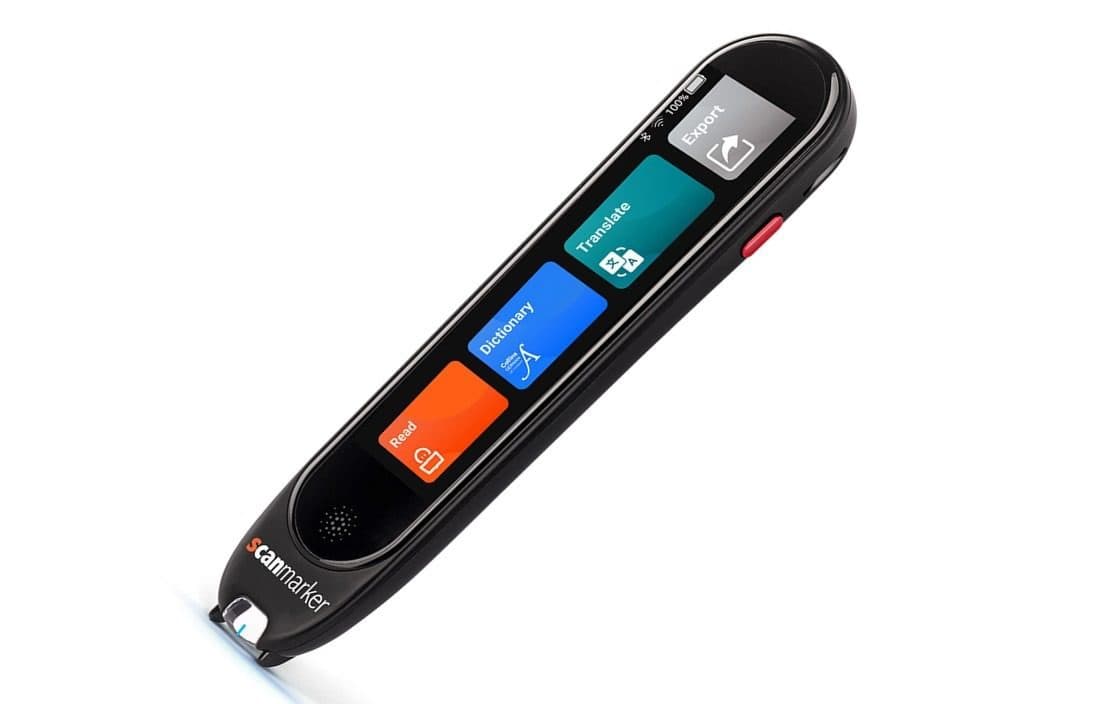
The Pro is the one most people should buy. It is the assistive-reading flagship, with a built-in touchscreen putting Read, Dictionary, Translate, and Export one tap away. No laptop required.
The Exam is the Pro's classroom sibling: same reading support, plus a Teacher Lock and phonics tools so it can be handed to a student during supervised reading and tests without becoming a cheating vector.
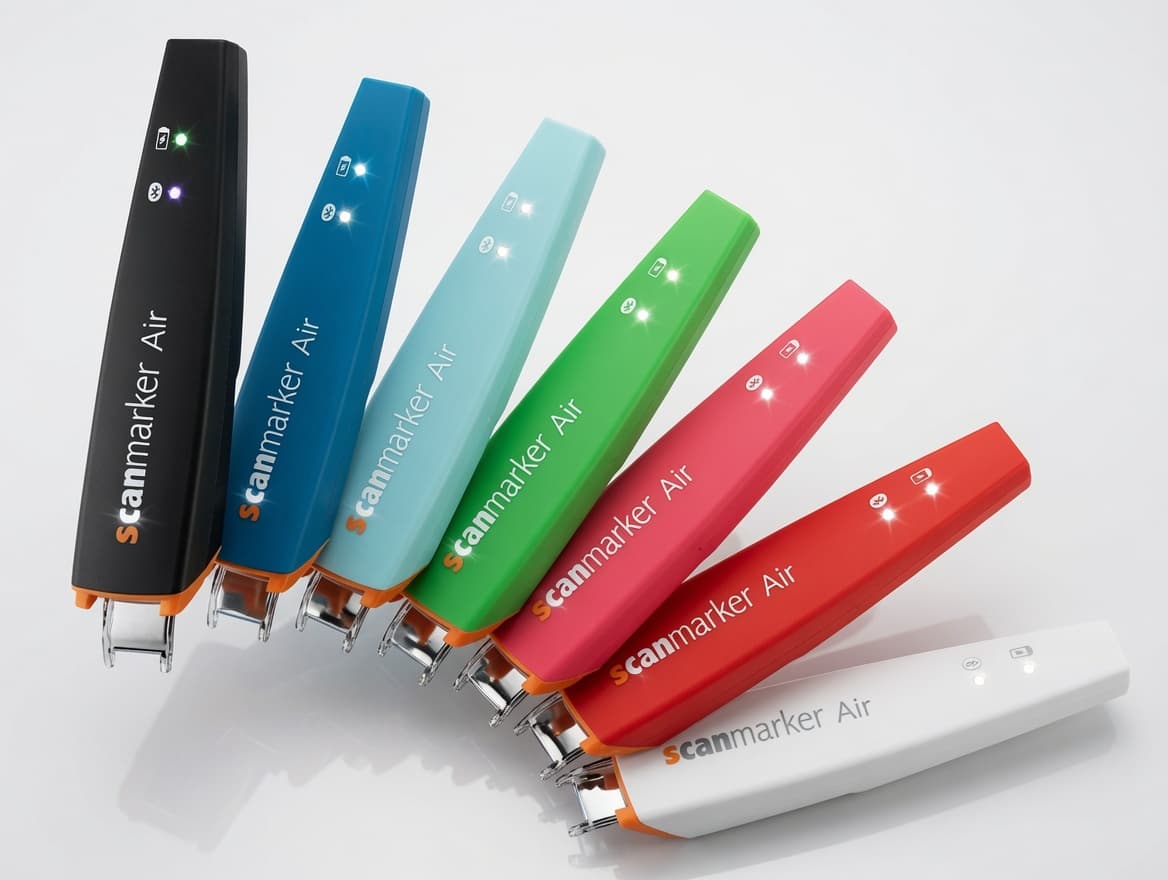
The Air is the wireless workhorse — no screen of its own, it scans directly into a connected device. Best for desk work rather than mobility.
A note on prices: these are the figures listed on ScanMarker's own Amazon store at the time of writing, and marketplace prices move — check the current listing before you buy. The Air did not show a price in my region, so I am not quoting one for it.
Setup: under two minutes, start to first scan
There are two parts to ScanMarker: the pen, which captures the image, and the software, which does the recognition and everything clever after it. With the wireless pens, that software is the ScanMarker web app, which pairs over Web Bluetooth in Chrome or Edge on desktop.
I timed it. From opening the box to my first successful scan was under two minutes:
- Open the web app. Go to the ScanMarker web app in Chrome or Edge on desktop and sign in.
- Open the Scanner. New users get a clean three-step guide; you can also click "Scan a page" from the Library.
- Put the pen in pairing mode. Turn on the pen and hold its button until the light blinks.
- Pair it. Click "Pair scanner," choose Bluetooth (it is marked Recommended), and pick your pen in the browser popup.
- Scan a line. Drag the pen slowly and flat across a printed line. The app shows live status — Scanning… then Reading text… — and your recognized text appears in the captured-text panel.
- Save it. Click "Save to document" and the scan becomes an editable document, ready to summarize, translate, or listen to.
The standalone pens with their own screen — the Pro and Exam — work the same way conceptually, but without the browser: scan a line, and the result shows on the pen itself, with Read, Dictionary, Translate, and Export a tap away.
Pro tip: Scan slowly across clear, flat print for best accuracy. If a scan comes back empty, the app tells you exactly how to fix it — "scan slower and flatter across clear print" — so there is no guessing.
Four features that make it more than a highlighter
Scanning is the hook. The software is why it stays on your desk. Four features do the heavy lifting.
Capture and organize. Every scan lands in a clean, searchable library — pin, archive, delete. Small thing, but it is the difference between a pile of loose scans and a set of notes you can actually find in a month.
Translate, side by side. Scan a Spanish menu or a French worksheet and the translation appears next to the source, with the detected language labeled and one-click copy. The pens cover 40-plus languages; the Pal stretches to 50-plus, with the major ones working offline.
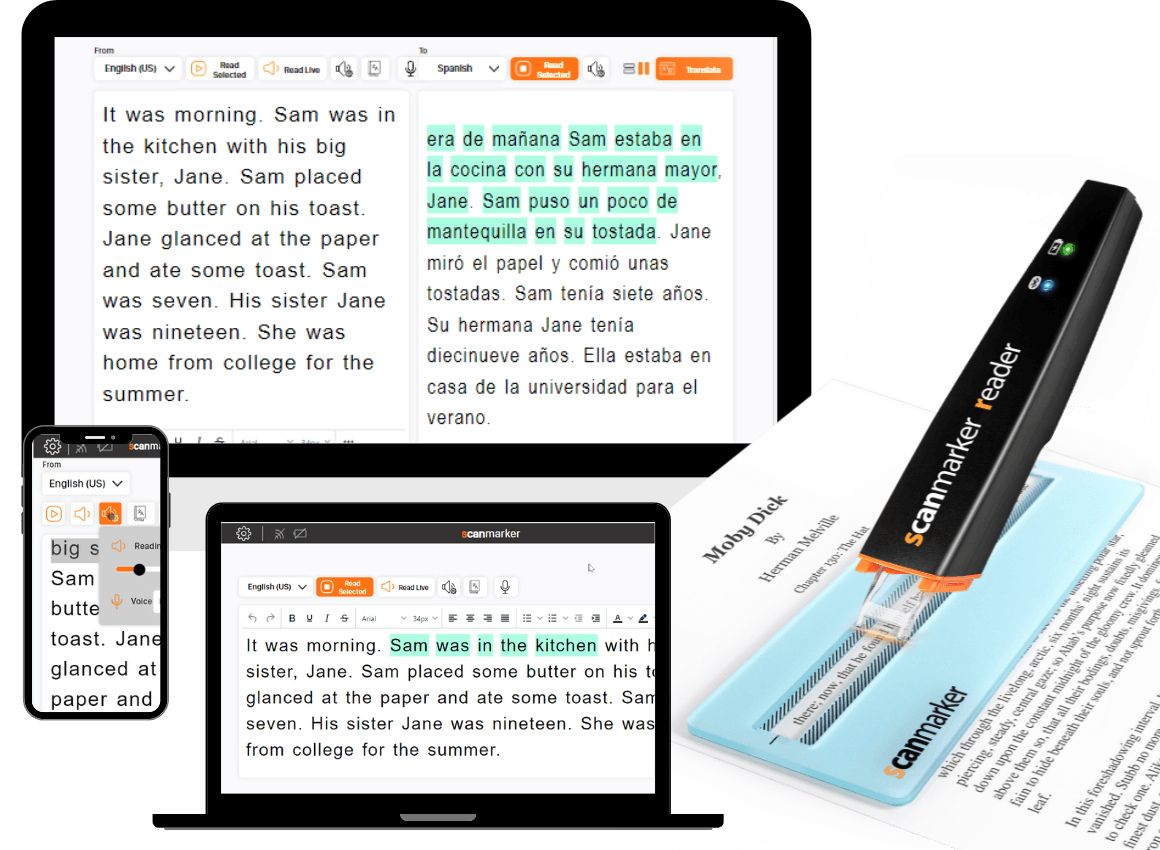
Listen, with word tracking. Pick a voice, set the speed between 0.5x and 2x, and ScanMarker reads aloud while highlighting each word as it speaks it. For dyslexic and ELL readers this see-it, hear-it, track-it loop is the entire product — and it is the feature I used most, on long passages, for reasons that had nothing to do with testing. It is task offloading in miniature, the same principle behind effective delegation: hand the mechanical part to a tool so attention goes to comprehension instead.
Accessibility, taken seriously. Adjustable font size and line spacing, dyslexia-friendly fonts (Atkinson Hyperlegible, OpenDyslexic), color tuning, light and dark themes. Reading comfort is treated as a feature, not a settings-menu afterthought — which is the minimum bar for a tool sold to people who need the support, and a bar plenty of competitors miss.
How ScanMarker compares
Reading pens, standalone scanners, and phone OCR apps all solve overlapping problems. Here is the honest positioning.
| Option | Type | Strength | Trade-off |
|---|---|---|---|
| ScanMarker | Reading pen + app | Live scan-to-screen, translate, read-aloud, accessibility focus | Web app needs Chrome or Edge desktop; best on clean print |
| Standalone reading pens | Self-contained device | Offline, classroom and exam modes, built-in speech | Pricier; closed device; less flexible than a web app |
| Office scanning pens | Scanning pen | Broad language OCR, established brands | UX leans "office tool," less of a reading aid |
| Phone OCR apps | Camera OCR | Free, always in your pocket | Whole-page capture, fiddly with books, no line precision |
ScanMarker's edge is the combination — pen precision, a genuinely useful set of reading features, and accessibility-first design in one loop. Standalone pens win on pure offline and exam use; phone apps win on price and portability. For desktop reading and study workflows, ScanMarker was the most complete loop I tested. (Competitor categories above are positioning, not a head-to-head spec test.)
Who it is for — and who should skip it
Buy it if you are:
- A student or ELL learner — scan a textbook line, translate it, hear it read back. Pal for travel, Pro for daily study.
- A reader with dyslexia or low vision — the dyslexia fonts plus narration plus word-highlighting combination is purpose-built for exactly this, and the Pro is the model to get.
- A teacher — the Exam's Teacher Lock and phonics support make it the only model that survives contact with a real classroom.
- A researcher or writer — quotes out of physical books and into your notes, without retyping a word.
Skip it if you are: an iPhone-or-iPad-only user who wants the web app (Web Bluetooth does not work in Safari or on iOS — you would need a screen-equipped Pro or Exam), or someone whose scanning needs are occasional enough that a free phone OCR app already covers them.
The scorecard
| Category | Score |
|---|---|
| Scanning accuracy | 9.5 / 10 |
| Reading features | 9.0 / 10 |
| Accessibility | 9.5 / 10 |
| Onboarding and UX | 9.0 / 10 |
| Setup speed | 9.0 / 10 |
| Overall | 9 / 10 |
What keeps it from a 10: the web app is Chrome and Edge desktop only — Web Bluetooth rules out Safari and iOS — and best accuracy needs clean, flat print. Glossy stock, tiny type, or a skewed pass means scanning slower. Both are worth knowing before you buy; neither stopped me using it daily.
The bottom line
I review a lot of productivity gadgets. Most are interesting for a week and then live in a drawer. ScanMarker earned a place in my workflow inside the first hour and kept it — the read-aloud-with-tracking loop is the kind of feature you are still using long after the novelty has worn off.
If you read on paper and work on a screen — and especially if you, your student, or your child struggles with text — this is an easy recommendation.
Where to start:
- Mostly want translation on the move? → ScanMarker Pal, $149
- Want daily reading support? → ScanMarker Pro, $259 — the one most readers should buy
- Buying for a classroom? → ScanMarker Exam, $350
It delivers a small "this is the future" moment, and then — rarer, and more valuable — it keeps being useful.
For more on the shift from paper-bound to digital workflows, see our technology coverage and our work on digital transformation.
Explore Related Concepts
Frequently Asked Questions
What is ScanMarker and how does it work?
ScanMarker is a handheld reading pen that scans printed text. You drag it across a line the way you would highlight it, and the words appear as editable digital text within about a second — ready to edit, translate, summarize, or hear read aloud. Higher-tier pens have a built-in touchscreen; the wireless models can also scan live into a connected device.
What is the difference between the ScanMarker Pal, Pro, and Exam?
The Pal ($149) is the portable translation pen, covering 50-plus languages with offline support for major ones. The Pro ($259) is the assistive-reading flagship, aimed at dyslexia, learning difficulties, and language learners. The Exam ($350) is built for classrooms, adding a Teacher Lock and phonics support so it can be used during supervised reading and tests. The Air is the wireless scan-to-device pen.
How accurate is ScanMarker scanning?
On clean, flat printed text it recognized lines at around 99% confidence in testing, in roughly a second. Glossy paper, very small type, or skewed text needs a slower, flatter pass. If a scan comes back empty, the software tells you how to fix it rather than leaving you guessing.
Can ScanMarker translate text and read it aloud?
Yes to both. It translates scanned text across 40-plus languages with source and translation shown side by side, and the read-aloud feature speaks your text with adjustable speed while highlighting each word as it is spoken — the see-it, hear-it, track-it loop that helps dyslexic and ELL readers most.
Does ScanMarker work on a phone or iPad?
The browser web app pairs over Web Bluetooth, which currently works in Chrome or Edge on desktop. It does not pair in Safari or on iOS. Pens with their own built-in screen work standalone regardless of browser.
Is ScanMarker good for dyslexia?
It is designed with accessibility as a first-class feature: dyslexia-friendly fonts such as Atkinson Hyperlegible and OpenDyslexic, word-by-word read-aloud highlighting, and adjustable spacing and color. The Pro is positioned specifically as an assistive tool for dyslexia and learning difficulties, and the Exam adds phonics support for classrooms.