Claude Code: an honest overview
Claude Code is Claude that can act on your codebase — read it, edit files, run commands, open pull requests. Here is what it actually does, where it runs, how access works, and the failure modes the marketing skips.
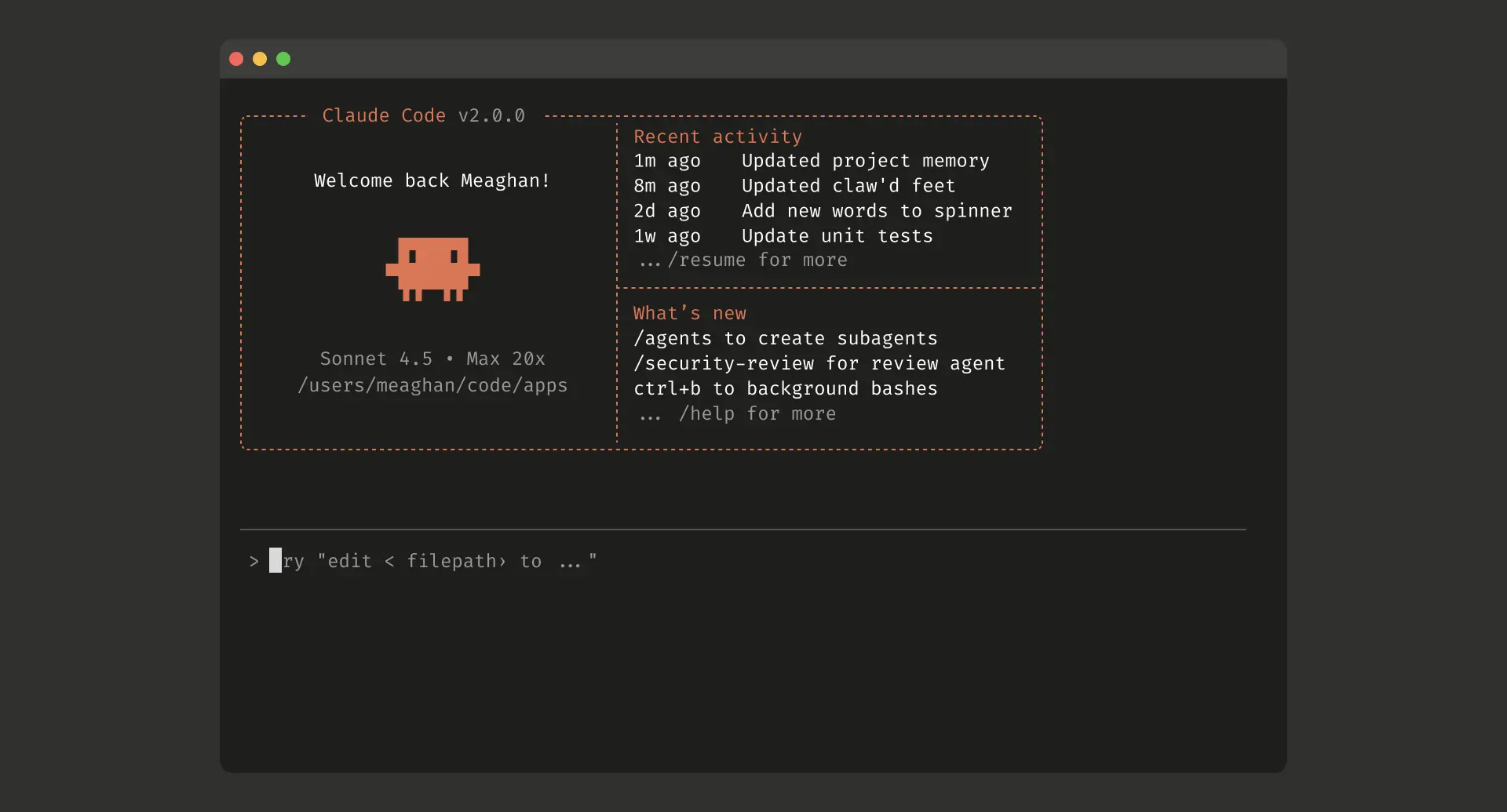
Claude Code is the tool that turns Claude from something you talk to into something that acts on your code. It is an agentic coding tool from Anthropic that reads your codebase, edits files, runs commands, and integrates with your development tools — the practical difference between discussing a change with an AI and having the AI make the change, run it, and check that it works. It understands an entire project rather than a single pasted snippet, and it can move across many files and tools to finish a task end to end. This overview covers what it actually does, the four places it runs, how access and pricing work, and the limitations that most write-ups quietly skip. The short version: it is genuinely useful and genuinely sharp-edged, and both halves of that sentence matter.
What Claude Code actually is
Strip away the framing and Claude Code is "Claude that can take action." Where a chat assistant returns text you copy somewhere, Claude Code operates inside your project: it can open files, modify them, execute shell commands, and read the results to decide what to do next. According to Anthropic's documentation, it is an AI coding assistant that understands your whole codebase and works across multiple files and tools to get things done, available in the terminal, your IDE, a desktop app, and the browser.
That agentic loop — read, act, observe, repeat — is the whole point. You describe a goal in plain language, and rather than handing you a block of code to integrate yourself, it plans an approach, writes the code across the files it touches, and verifies the result. The model doing the reasoning is the same family of large language model you would use in Claude.ai; what Claude Code adds is the hands.
The agentic loop
The core of Claude Code is the agentic loop — a repeatable execution cycle that moves past simple autocomplete into autonomous execution. Below is how it processes a request, followed by a breakdown of each stage.
A repeatable execution cycle that moves past autocomplete into autonomous execution. Each stage feeds the next; when verification fails, the loop folds back to re-plan rather than stopping.
Our expanded take on Anthropic's agentic loop.
- 1Gather ContextReads your files, CLAUDE.md guidelines, git state, and the repository map — it informs itself before it acts.
- 2Plan & EvaluateAssesses the task and the current codebase, then reasons out the best course of action.
- 3Take ActionUses real tools — edits files, runs bash commands (npm test, pytest), searches the web.
- 4Verify ResultsReads the output: stdout, exit codes, build errors. If a test fails, it loops back to step 2.
- 5Return & CommitOn success (or out of turns) it breaks the loop, presents a clean diff, and prepares to commit.
- Gather context. When you issue a command, Claude does not just guess. It reads your local files, checks your
CLAUDE.mdguidelines, analyzes git state, and maps the repository. - Plan and evaluate. The model assesses the task, evaluates the current codebase state, and reasons out the best course of action.
- Take action. Instead of only returning text, it uses local system tools — generating code changes, running tests via a shell command (
npm test,pytest), or invoking external search. - Verify results. After an action runs, Claude reads the output — stdout, exit codes, build errors. If tests fail or the fix is incomplete, it loops back to step 2 to revise its plan and try again.
- Return and commit. Once the success conditions are met, or it runs out of allowed turns, it breaks the loop, presents a clean diff, and prepares to commit.
Where it runs
There is no single "app." Claude Code is a set of surfaces that share the same engine, and the right one depends on how you work. The terminal CLI is the full-featured baseline: edit files, run commands, and drive an entire project from the command line. For people who live in an editor, there are IDE extensions — a VS Code extension with inline diffs, @-mentions, plan review, and conversation history, plus plugins for JetBrains IDEs like IntelliJ, PyCharm, and WebStorm, and support for Cursor.
Beyond the editor, a standalone desktop app runs Claude Code outside the terminal entirely: you can review diffs visually, run multiple sessions side by side, schedule recurring tasks, and kick off cloud sessions. And it reaches into your workflow where the code already lives — you can tag @claude on GitHub to put it to work in pull requests and issues, and wire it into CI through GitHub Actions or GitLab to automate review and triage. The mental model that helps: if your style is "I write code, the AI assists," a CLI or IDE plugin fits; if it is "the AI handles tasks, I review results," the desktop app's parallel-session view is built for that.
What it does well
The strongest use is the one it is named for: building features from a description. You state what you want, it plans, writes across the relevant files, and runs the result. Debugging is the mirror image — paste an error or describe the symptom, and it traces the issue through the codebase, identifies the root cause, and implements a fix rather than guessing at the surface. These are the cases where reading the whole project, not a snippet, earns its keep.
It is also quietly valuable on the tedious work that erodes a day: writing tests for untested code, clearing lint errors across a project, resolving merge conflicts, bumping dependencies, and drafting release notes. It works directly with git, staging changes, writing commit messages, creating branches, and opening pull requests — the kind of chores you might otherwise fold into a single all-in-one git bash command. Two features matter more than they sound. The first is the Model Context Protocol (MCP), an open standard that lets it pull in external context — and the same protocol underpins tools like Comfy MCP, which turns agents into image-generating artists — design docs in Google Drive, tickets in Jira, data from Slack, or your own tooling — so it is not reasoning in a vacuum. The second is CLAUDE.md, a markdown file in your project root that it reads at the start of every session; you use it to set coding standards, architecture decisions, and review rules, and the tool also builds its own memory across sessions, retaining things like build commands without you writing them down. That persistent context is what separates a one-off prompt from a collaborator that learns your project — the same discipline behind a good AI coding prompt library.
Getting started and access
Installation has gotten simpler. The native installer is now the recommended method, works on macOS, Windows, and Linux, and notably requires no Node.js; the older npm install -g @anthropic-ai/claude-code path still exists but is deprecated and is the only method that needs Node.js 18 or higher. On Windows, installing Git for Windows is worth doing so the tool has a Bash-compatible shell for workflows that expect one. After install, a one-time sign-in connects it to your account, and you are working.
Access is where the economics live. Most surfaces require a Claude Pro or Max subscription or an Anthropic Console account, though the terminal CLI and VS Code also support third-party providers like Amazon Bedrock and Google Vertex. Subscription usage is metered in a rolling five-hour window that is shared with Claude.ai, so a morning of long chat sessions leaves less coding budget for the afternoon — a detail that surprises people until they plan around it. The alternative, pay-per-use API billing, is flexible but adds up fast under heavy use, which is why regular users tend to land on Max. On models, Claude Code runs on Anthropic's current lineup across the Opus, Sonnet, and Haiku families; Sonnet is the everyday coding workhorse and Opus is there for the hardest planning, and you can select the model per session to trade cost and speed against capability. The repository and full setup reference live on GitHub.
The honest limitations
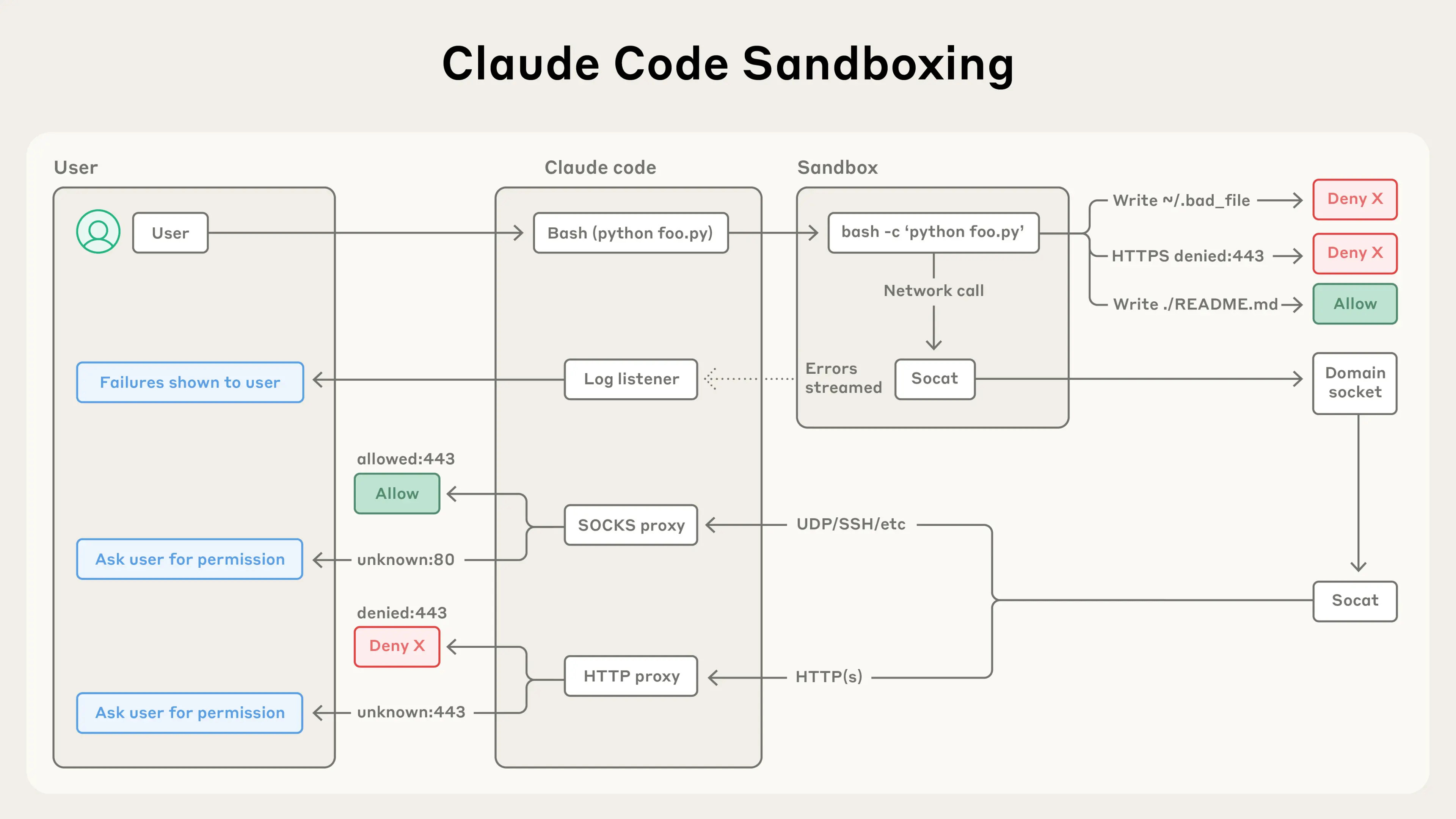
An overview that only lists strengths is marketing, so here is the other side. The most serious issue is structural: the tool operates autonomously and has direct access to your filesystem, which is exactly what makes it powerful and exactly what makes it dangerous. Through 2026 there were documented cases of developers losing significant work after granting agents broad access to infrastructure commands without enough oversight, including a startup database wiped in seconds. The mitigations are not exotic — run it inside a dedicated, scoped folder rather than your entire drive, review anything destructive before approving it, and keep everything under version control so a bad edit is an undo rather than a disaster — but they are mandatory, not optional.
There are softer failure modes too. On large or tangled codebases the agent can drift, lose the thread of context, or fall into a correction loop where each fix introduces a fresh regression; these are the moments where a human has to step in and reset the approach. The shared five-hour usage window is a real friction point for heavy users, and quota behavior and caching have been moving targets that periodically frustrate the people who rely on the tool most. And the cost is genuine: serious daily use is a paid subscription or a metered API bill, not a free utility. None of this makes Claude Code a bad tool. It makes it a power tool, with the supervision requirement that implies — the human review it does not eliminate, it makes more consequential.
Who it is for
Claude Code rewards people who already think in systems and want to delegate execution: developers shipping real features, operators automating the tedious parts of a codebase, and teams willing to encode their standards into a CLAUDE.md and review the output. It pairs naturally with spec-driven development — give it a clear specification rather than a vague prompt and the autonomy works for you instead of against you. It is a worse fit for anyone expecting a hands-off magic button, or anyone unwilling to sandbox it and review what it does. The tool is as good as the judgment supervising it.
The Bottom Line
Claude Code is the most concrete version yet of the shift from AI that suggests to AI that acts, and it delivers on that for the people who use it deliberately. Treat it as a capable, autonomous teammate that needs a scoped workspace, clear instructions, and a reviewer, and it removes a great deal of mechanical drudgery while keeping you in control of intent. Treat it as a fire-and-forget oracle with root access and it will eventually teach you why that was a mistake. The honest take is that the tool is excellent and the discipline around it is not optional — which is the same lesson running through every serious use of AI agents in real engineering work. For more on how to brief it well, start with the technology hub and the coding resources it points to.
Explore Related Concepts
Frequently Asked Questions
What is Claude Code?
Claude Code is Anthropic's agentic coding tool. It reads your codebase, edits files across multiple locations, runs commands, and integrates with development tools like git and CI. In plain terms, it is Claude that can take action on a project rather than just talk about it, available in the terminal, in your IDE, in a desktop app, and on GitHub.
Is Claude Code free, and what does it cost?
It is not free. Most surfaces require a Claude Pro or Max subscription or an Anthropic Console (API) account. Subscription usage is metered in a rolling five-hour window that is shared with Claude.ai, while the API is pay-per-use and can get expensive with heavy use — which is why frequent users generally find a Max subscription more economical than metered API billing.
Does Claude Code require Node.js?
No longer, if you use the recommended path. The native installer works on macOS, Windows, and Linux and does not require Node.js. Only the older npm install method needs Node.js 18 or higher, and that method is now deprecated in favor of the native installer.
Which models does Claude Code use?
It runs on Anthropic's current models across the Opus, Sonnet, and Haiku families, with Sonnet positioned as the everyday coding workhorse and Opus reserved for the hardest reasoning and planning. You can choose the model explicitly when you start a session, so you can trade speed and cost against capability per task.
Is it safe to let Claude Code edit my files?
It can be, with discipline. Because the tool operates autonomously and has direct access to your filesystem, the standard precautions are to run it inside a dedicated, scoped project folder rather than your whole drive, to review changes before approving anything destructive, and to keep work under version control so any bad edit is recoverable. The autonomy is the feature and the hazard at once.